
Incorporating AI into your document management workflows can speed up operations, reduce costs, and improve data accuracy
A smart document management strategy can make life easier for everyone at your business. With the right procedures in place, every new piece of paperwork can be a source of valuable information. That’s where artificial intelligence (AI) comes in. Using AI in document management can streamline your data entry, save you money, and even enhance your company’s cybersecurity. With AI-powered workflows, your employees can spend less time on tedious busywork and more time on the assignments that really matter.
From banks detecting fraud to government offices digitizing public records, AI is now a powerful tool in a variety of demanding fields. Healthcare organizations can use the technology to process new patients. Law firms can analyze contracts in minutes. AI has many potential applications, but to successfully incorporate AI into your business, you’ll need a solid understanding of how it works.

What is AI in document management?
Before we get into the specifics of AI in document management, let’s define a few terms:
- Artificial intelligence (AI) refers to any computer process that mimics human behavior. For example, AI can digitize scanned text, identify keywords, and sort documents into folders.
- Document management refers to an organized, systematic way to analyze and store business paperwork. Digitizing physical documents, extracting relevant data, naming files in an intuitive way, and restricting access to sensitive folders can all be parts of an effective document management strategy.
Basically, AI can simplify or automate the tedious parts of document management. Instead of workers transcribing physical documents, AI-powered software can digitize text as soon as you scan it. By recognizing document styles and keywords, software can also name, date, and sort files appropriately. Letting an AI handle these tasks rather than humans is called document automation or intelligent document processing.
Look for these features in a good piece of document management software:
- Optical character recognition (OCR) is an absolute necessity for business scanning. OCR identifies and digitizes text, letting you copy, paste, and search within documents as soon as you scan them. OCR can digitize entire pages of text within seconds, which means less transcription work for employees.
- Natural language processing (NLP) is a way for computers to read and “understand” text. NLP can help recognize different types of documents and pick out relevant keywords to help sort or process information.
- Machine learning is how AI systems become more accurate over time. As it processes more and more files, document management software can pick up on patterns. This helps it “learn” how to tag metadata and route files correctly.
Want to learn more?: Check our Glossary to learn even more important terms related to scanners, document management, and digitization.
AI benefits: Industry-specific examples
Healthcare
In healthcare, AI document management can help almost every step of the way. Patient records are often long and involved. An intake form alone could contain dozens of different clerical details like names, addresses, medical history details, and lists of medications. After an appointment, workers have to process insurance claims. They may also have to store sensitive data in a HIPAA-compliant manner. Doing all of this work by hand could take hours for each patient. A simple typo or similar error could delay claims being processed or care being received.
With AI tools, workers could simply scan a stack of forms and let software handle the rest. A good scanner can process dozens of documents per minute. After that, the software could digitize the text, extract relevant data, name and date each file, and route everything to the appropriate database or folder. This helps reduce the risk of human error while enhancing cybersecurity. That could potentially make healthcare offices more efficient and more HIPPA-compliant.
Legal
Law firms rack up massive quantities of paperwork. Contracts, briefs, and even personal letters can make or break a client’s case. In the past, a lawyer or paralegal had to pore over every word of these documents.
AI doesn’t replace these workers or undermine their expertise. Instead, it helps focus their contract analysis and eDiscovery efforts. AI software can parse text much faster than a human, all while picking out important words and phrases. This means that lawyers and paralegals can focus their attention on relevant documents and sections. They don’t have to read through dozens (or hundreds) of pages of unrelated information.
Finance
In the finance and banking industries, even simple transactions can require a lot of documentation. That makes sense when you consider that a person’s quality of life might hang in the balance. A loan application could be the first step in starting a business or owning a home. Credit card fraud could wreck a person’s credit score for years to come. An unpaid invoice might be the difference between a comfortable month and a lean one.
AI-powered software can streamline invoice management by recognizing company names and routing files to their proper folders. Many programs can even copy and paste relevant information into existing databases. This lets vendors process and pay invoices without any tedious, time-consuming transcription.
NLP and machine learning can also be useful, especially for processing applications and recognizing fraud. Over time, software can pick up on subtle patterns that humans might miss. This means that AI could potentially pick out good candidates for loans or fraudulent activity in an account.

Click here to download the full infographic
Construction
Construction projects have a lot of moving pieces. Employees need constant access to designs, permits, work orders, vendor invoices, and compliance paperwork to stay on schedule and within budget. The problem isn’t necessarily that these documents take a lot of time to read. Instead, the issue is keeping everything organized and accessible, even when employees are at job sites.
AI’s recognition and sorting features can be especially useful in construction. A good program can instantly tell a blueprint from an invoice. Then, the software can name, date, and sort the file, making it easy to find for any authorized user. Businesses can even set up cloud servers and automatically route files there. That way, an on-site worker with a smartphone can coordinate information just as easily as an office worker with a laptop.
Government
When it comes to efficiency, government offices don’t always have the best reputation. Still, think about the sheer volume of paperwork they have to deal with on any given day. Government offices can’t take shortcuts or be selective about their clients. They have to process every field, on every form, for every person who walks through their doors. If there are any errors, citizens might miss out on vital services.
AI addresses these issues by speeding up digitization and reducing human error. Document management software can automate data entry and routing. That means workers have more time to deal directly with citizens each day. Document digitization with AI can also be good for government offices. Digitizing public records lets everyday citizens search and analyze information on their own. That’s good for government transparency, historical research, and civics in general.
Education
In modern educational institutions, every student has a paper trail. For starters, there are clerical forms with names, addresses, and emergency contacts. From there, students also accumulate class schedules, report cards, medical records, and more. Since much of this information is sensitive, keeping it secure is also a concern.
AI-powered software can analyze and organize student records while lowering the risk of human error. These programs can also digitize text if you’re starting with physical paperwork instead of online submissions. Automatically sorting these files to the correct folders ensures that only authorized users can access student data. By analyzing report cards and exam results, AI can even find areas where students are struggling and suggest personalized solutions.
Overcoming the challenges of AI adoption
There are effective AI tools for industries in every professional sphere. Still, you may have to overcome a few objections before you take full advantage of those tools.
The first major hurdle for AI adoption is the cost. Most modern document management software requires a monthly subscription fee. You may also have to purchase a high-speed scanner, particularly if your business deals with a lot of physical documents. However, AI tools can parse and sort documents much faster than humans can. That means your staff can spend less time on busywork and more time on creative, demanding jobs. Ideally, AI-powered software pays for itself by automating simple, repetitive tasks. If you’re considering AI for small business purposes, this can be an effective way to save money in the long run.
AI may also pose cybersecurity challenges. If your organization digitizes every document and makes it searchable, some sensitive information could become widely available. AI-powered software can also help to address this issue. As you digitize files, you can set up access-restricted, password-protected folders. Your software can route private files to private folders, ensuring that your data remains safe and compliant.
Some administrators may also wonder whether AI tools are difficult to integrate with their existing systems. Generally speaking, this isn’t a big concern. AI-powered software can generally parse PDFs, word processor documents, and other common file types. Thanks to OCR technology, you can also extract data to just about any database software you choose. Integrating AI into any existing system has a learning curve, but there shouldn’t be any major compatibility issues.
Did You Know?: The Ricoh fi-8170 Deluxe scanner is fully compatible with the PaperStream Capture Pro software. With the ability to scan up to 70 pages per minute at 600 DPI resolution, the fi-8170 Deluxe is an excellent springboard for gathering data with AI-powered software.
Manage your documents with PaperStream Capture Pro
AI isn’t just a tool for the tech sphere. With the right software, AI can also be a powerful force in healthcare, finance, government, and other paperwork-heavy fields. The technology can help businesses run more efficiently, saving money and helping employees focus on meaningful, interesting work. This is especially true for small and medium-sized businesses, which often have tight budgets and limited staffing pools.
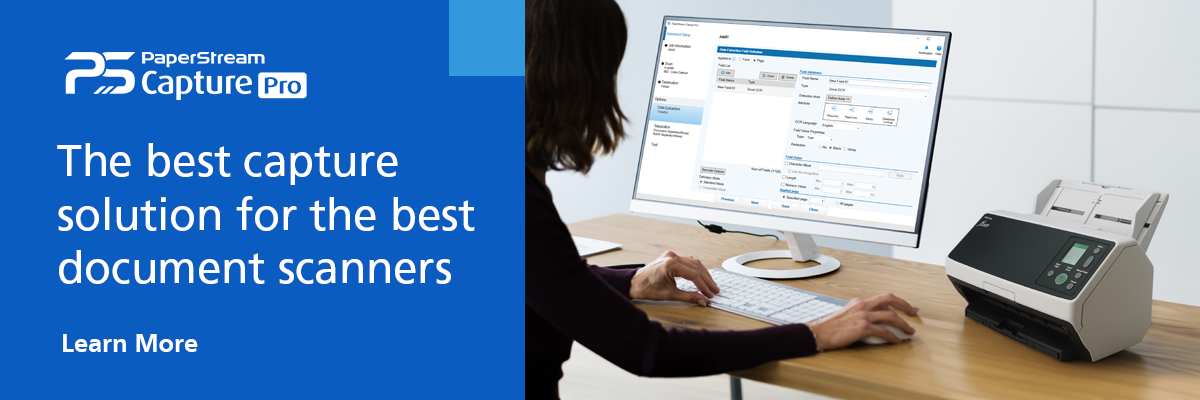
To integrate AI in document management with your business, you’ll need the right software for the job. Ricoh’s PaperStream Capture Pro offers robust AI features to digitize, analyze, and sort hundreds of documents every day. The software’s comprehensive OCR lets you index and search scanned documents. From there, PaperStream Capture Pro can automatically tag metadata, extract important information, autofill fields in databases, name and date files, and route documents to specified folders. The end result is more accurate, secure data with less room for human error.
To learn more about Ricoh’s document management technology, book an appointment with us today.
Note: Information and external links are provided for your convenience and for educational purposes only, and shall not be construed, or relied upon, as legal or financial advice. PFU America, Inc. makes no representations about the contents, features, or specifications on such third-party sites, software, and/or offerings (collectively “Third-Party Offerings”) and shall not be responsible for any loss or damage that may arise from your use of such Third-Party Offerings.