It's renewal time for your PaperStream Capture Pro Subscription! 

  To extend your subscription, you have two options: 

Icon of the number 1

Renew the license for your existing key

To renew your existing key, please provide your reseller with the license key before you make your 1, 3, or 5 year extension purchase. The old key will automatically trigger an extension when a new part number is purchased. If the old key is not provided, a new key will be generated. If you purchased from our website, you can just enter the old key in the appropriate field for it to be extended. The extension time period will appear inside of your PaperStream Capture software the day of expiration.

Icon of the number 2

Use a new replacement key

You may also use a replacement key immediately after your license expires. Please deactivate your key one to seven grace days after the expiration date. Put in the new key as prompted by the software. Timing is important to avoid interruption of service.

See below for the detailed deactivation and activation process.
Steps to Deactivate an old key and Activate a new key

  1. Run PaperStream Capture Pro. 

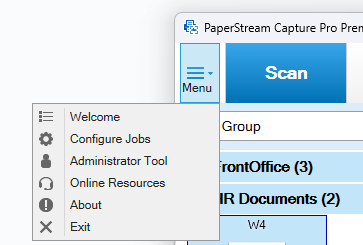
  2. PaperStream Capture Pro drop down menu image

  3. In the menu drop down, select "Administrator Tool.”

  4. PaperStream Capture Pro tabs with

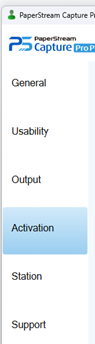
  5. Select the “Activation” tab.

  6. PaperStream Capture Pro

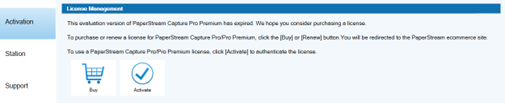
  7. Click the “Deactivation” button.

  8. PaperStream Capture Pro

  9. Click the “Activation” button.

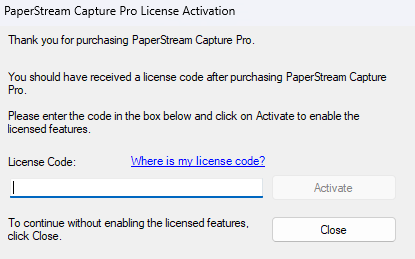
  10. PaperStream Capture Pro License Activation interface with license code field and activate or close buttons.

  11. Enter your new key in the “License Code” field and click “Activate.”

  12. Message stating a license for PaperStream Capture Pro has been successfully activated on this PC.

  13. In the lower right hand corner of your screen, you will see successful activation.

  14. Image of expiration date for Current License Information

  15. Your new expiration date will show up immediately under Current License Information.


Alternatively, you can contact your reseller and provide them with the information mentioned above.


To discuss other renewal options, please contact the Renewal Team at 888.425.8228 or email us at servicesales@pfu-us.ricoh.com.


Or renew directly on our website here