
Learn how business digitization can enhance operations at your company, from streamlined storage to improved security
Once you know the basics of business digitization, you can help your company operate more effectively. A solid digitization strategy will let you convert your paper documents into digital files, saving office space and freeing up your staff from tedious transcription work. With the right hardware and software, you can even mine your digital data for valuable insights. From reducing costs to improving cybersecurity, business digitization can enhance workflows across your whole business. All you need to get started are a few definitions and best practices.
In this guide, we’ll cover how to digitize both your files and your business processes. We’ll also dive into the differences between digitization, digitalization, and digital transformation. Whether you’re already well in the process of going digital or just figuring out which hardware and software you’ll need, our expert advice can help you master the digitization process and start reaping the benefits of a digitally transformed company.
Jump to a section:
What Is Business Digitization?
Business digitization is the process of turning physical documents into digital files on a company-wide scale. For a more thorough answer, we’ll need to clarify a few similar terms:
- Digitization is the process of converting physical media into a digital format.
- Digitalization refers to replacing analog processes with digital ones.
- Digital transformation occurs when all or nearly every part of a company’s workflow uses a digital-first process.
As an example, suppose a doctor’s office wants to streamline its operations with a forward-thinking digital strategy. When the staff scans all existing patient records and uploads them to a cloud database, that’s digitization. When the IT team creates an online intake form to replace pen and paper forms, that’s digitalization. When all patient records, correspondence, and payments go through digital systems rather than physical paperwork, the office will have undergone a digital transformation.
Generally speaking, digitization in business starts with a scan of backlogged records, using a high-quality scanner and robust scanning software. This gives an organization a digital foundation to build upon, as historical data becomes easier to retrieve, share, and analyze.
Did You Know?:The RICOH fi-8170 can scan up to 70 pages per minute with a 100-sheet automatic document feeder (ADF). The scanner measures less than 12 inches across and weighs less than nine pounds. Click here to learn more.
Examples of Digitization in Business?
The core principles of digitization are always the same: You take a piece of physical media and convert it into a digital format. From there, though, companies can find dozens of different ways to make digitization worthwhile. Consider these examples of digitization as potential starting points:
- Keeping electronic records: Scanning customer records, invoices, contracts, and similar documents lets you store them in local or cloud servers rather than bulky filing cabinets. Electronic records take up less space than physical ones, and with the right cybersecurity tools, they’re potentially more secure as well.
- Scanning receipts for expenses: Reimbursing business expenses can be tedious, as employees might have to manually type up dozens of names, dates, and transaction amounts. Digitizing a receipt takes seconds rather than minutes, all while reducing the risk of human error. Most modern expense management software can automatically extract relevant information from digital receipts.
- Modifying existing documents: From contracts to corporate letterheads to employee handbooks, some documents may be worth revisiting years (or decades) later. A good piece of scanning software can turn physical paperwork into an editable text file, allowing employees to modernize valuable documents rather than starting from scratch.
Digitization can also be the first step toward replacing analog systems and processes with digital ones, such as transitioning from paper-based filing cabinets to cloud-based Document Management Systems (DMS), where physical records are scanned and indexed for instant searchability and remote access. In short: a shareable, searchable library of digital files provides a foundation for revamping your workflows.
Did You Know?:The RICOH PaperStream Capture Pro software can extract data from digitized files with advanced optical character recognition (OCR) and database autofill features. Click here to learn more.
Benefits of Digitization in Business
1. Cheaper document management
With digitization, documents that once required physical space now live on hard drives and servers. Even more significant is the downstream impact on business costs. Paper, filing cabinets, and floor space all have associated costs that drain budgets, even before considering labor and manual file management.
Digitization eliminates these fees by refocusing efforts on data storage. For example, a business might choose to upload documents to a cloud provider or store records on a local network, rather than pay to provide a physical space for them.
2. Improved accessibility and collaboration
Digitizing paperwork improves efficiency in workflows by accelerating processes, eliminating unnecessary steps and allowing for easier access. These time savings quickly add up on an organizational scale. Most notably, searching for documents on local networks is faster than browsing physical records by hand or reading for specific details. Multiple parties can also access these digital records at the same time, eliminating the need for photocopies or waiting until a particular document is available to use.
3. Better cybersecurity
In most respects, protecting private or confidential information is far easier when it’s stored in a digital format. For example, network administrators at any business can assign file permissions to ensure that only authorized employees can access them. IT administrators can also encrypt or password-protect digital records as an additional security measure. Finally, while people can lose, steal, or destroy physical documents, digital copies are much harder to get rid of permanently.
What Is Business Process Digitization?
Business process digitization refers to the practice of replacing physical processes with digital ones, and may also be referred to as “business digitalization.” Digitizing processes in addition to documents can trim down your response times, speed up your workflows, and help your business run more smoothly in general.
Want to master the lingo?:Our Document Scanning Glossary covers everything you need to know about the tools and terms behind going digital.
Converting paperwork to digital files is just one example of business process digitalization. Some other ideas include:
- Aidropping contact info instead of exchanging business cards
- Displaying QR codes instead of handing out brochures
- Hosting video chats instead of in-person meetings
- Onboarding new hires with digital forms instead of paper ones
- Using online collaboration apps instead of physical whiteboards
Generally speaking, digital processes require fewer resources and less time from your employees. The ultimate goal of process digitization is to save your company space, effort, and money.
Why Do You Need Business Process Digitization?
The best way to frame the need for business process digitization is in terms of the "large incumbent vs. nimble newcomer" question. A big company with an established history can still get the right contracts and connections through market dominance, old relationships, or sheer institutional momentum, but a small business doesn’t usually have those resources. Instead, SMBs have to embrace new technology and inventive ideas to get ahead.
If you run an SMB, business process digitization limits the amount of busywork your staff has to do, giving you the resources and flexibility you need to succeed in a crowded market. If you run a legacy business, you’ll be competing against those SMBs. Without a process digitization plan of your own, those smaller, nimbler businesses may eventually outcompete you by offering more efficient services.
How to Start the Business Digitization Process
If you’re starting your digitization of business processes from flat zero, it can be a difficult proposition, especially for older companies. You may need to convert mountains of valuable paperwork and reams of physical data. Without the right tools, that could constitute months of work.
You can get the job done in weeks (or less) with the right equipment, though. Modern document scanners get the job done quickly and accurately, and are often much more cost-effective than outsourcing the project to a third party. These devices also come with scanning software that can automatically tag, name, and sort your files before converting the text into an indexable, searchable format.
To get started, all you need is a high-quality scanner, a compatible piece of software, a decent computer, and either a local or cloud storage server. Once you learn the basics, you could conceivably digitize thousands of files per day.
Did You Know?:PCMag’s review of the RICOH fi-8170 described it as “fast and accurate, [with] terrific software for scanning and saving your documents in a variety of popular formats.” The article also praised the scanner’s accurate optical character recognition (OCR).
Our Recommendation: RICOH fi Series Scanners
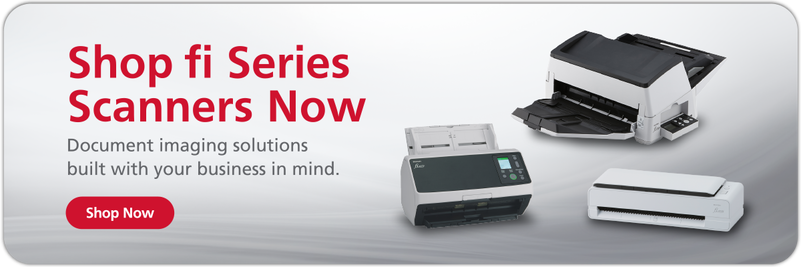
To help your company run at peak efficiency, business digitization can be an indispensable tool. If you’re interested in digitizing your records and digitalizing your workflows, the first thing you’ll need is a powerful document scanner. Start your search with the RICOH fi Series. These scanners are optimized for professional use, from small and medium-sized businesses, all the way up to global enterprises.
The RICOH fi-8170 suits a variety of workplaces and industries, with scanning speeds of up to 70 pages per minute and a 100-page automatic document feeder (ADF). This device features multi-feed detection for different sizes of documents, as well as intelligent paper protection to help prevent paper jams. At less than 12 inches across and less than 9 pounds, it should fit easily in most offices.
You can also check out our full lineup of Ricoh scanners to find the best match for your business.
Note: Information and external links are provided for your convenience and for educational purposes only, and should not be construed, or relied upon, as legal or financial advice. PFU America, Inc. makes no representations about the contents, features, or specifications on such third-party sites, software, and/or offerings (collectively “Third-Party Offerings”) and shall not be responsible for any loss or damage that may arise from your use of such Third-Party Offerings. Please consult with a licensed professional regarding your specific situation as regulations may be subject to change,