
Document digitization can help you share information faster, reduce operational costs, and save storage space.
If you want your business to run cheaper, faster, and leaner, then you want a document digitization plan. Turning your physical paperwork into digital files does more than just save you space. Digitization also means easier access, streamlined sharing, better security, and lower costs in the long run. To get started, you’ll need some specialized hardware and software, as well as a few definitions and best practices.
In this guide, we’ll cover the basics of digitization, including the types of materials you can digitize and the benefits your business can expect. We’ll also take deeper dives into how to digitize photos and books, and what to look for in a good piece of scanning software. With this information on your side, you can craft an effective document digitization strategy to thrive in a digital-first business landscape.
Jump to a section:
- What Is Document Digitization?
- How Do You Digitize Documents?
- What Are the Benefits of Digitization?
- How to Digitize Books
- How to Digitize Photos
- What Is Document Digitization Software?
- Document Digitization Software Features to Look For
- 3 Benefits of Implementing Document Digitization Software
- Digitization Examples from Different Industries
- Our Recommendation: fi Series scanners and PaperStream Capture Pro Software
What Is Document Digitization?
Document digitization is the process of transforming physical media into digital files. There are a few different ways to accomplish this, from manually retyping records to taking photos of individual forms. However, usually the easiest way to digitize paperwork is to run it through a document scanner.
Text isn’t the only asset you can digitize, though. In fact, you can make a digital file out of just about any piece of physical media:
- Paperwork: Forms, records, contracts, correspondence
- Pictures: Photos, artwork, maps, blueprints
- Books: Manuals, pamphlets, guides, handbooks
- Cards: Identification, credit cards, memberships, licenses
Once you’ve digitized a document, you can upload it to the cloud or a local server. From there, your staff can access, share, and even edit the digital file. In general, this is more convenient and more secure than relying strictly on physical storage.
How Do You Digitize Documents?
From a business perspective, scanning is the most efficient document digitization strategy. Transcribing documents and taking digital photos are both slow and prone to human error. A scanner, on the other hand, can digitize dozens of documents per minute. Scanners don’t get tired or bored, and they’ll handle the thousandth document just as well as the first.
To digitize physical documents, follow these steps:
- Gather all the documents you need to digitize. You may want to organize them as well, especially if you don’t already have tagging and sorting options set up through your scanning software.
- Scan your papers. You can usually do this with a computer, a mobile device, or directly from the scanner’s interface. Many scanners have automatic document feeders (ADFs), so you can scan dozens or hundreds of sheets at a time.
- Tag metadata in your scanned files. Your tags can be based on names, dates, document types, or whatever other identifying data you find useful. Modern scanning software can usually auto-tag files.
- Sort your files into the appropriate digital folders. These folders can be on local servers or in cloud storage services. A good piece of scanning software can usually automate this step.
- Secure your digitized documents through access controls such as folder permissions and passwords. You should also perform periodic backups as one of the best practices.
Did You Know?:The RICOH fi-8170 can scan up to 70 pages per minute with a 100-sheet automatic document feeder (ADF). The scanner measures less than 12 inches across and weighs less than nine pounds. Click here to learn more.
What Are the Benefits of Digitization?
Document digitization has plenty of business benefits, including making documents easier to find, harder to lose, and safer to store in the long-term. That’s especially good for industries with regulatory standards, such as finance and healthcare. Secure, easy-to-produce records are a big part of staying compliant.
Some benefits of digitization include:
- Easier access: Physical records are often in remote parts of the office, behind locked doors and drawers. Finding one specific record may require sorting through dozens of irrelevant ones. Digital files are just a few clicks away.
- Safer records: Physical records can get lost, damaged, or stolen. If there’s only one copy of a record, that means it’s gone forever. With occasional backups and a smart cybersecurity strategy, digital files are much harder to lose and much easier to recover.
- Lower costs: When your staff can access documents from their computers and mobile devices, they won’t need to print extras or make physical copies. That can save you money on ink and paper.
- Increased productivity: Employees can access digital records almost instantaneously, and multiple users can collaborate on the same file. Remote workers and partners can also get the information they need without having to trek into your office.
- More space: Paper records take up a lot of room, particularly if you have to keep extra copies on hand. In contrast, you can fit millions of digital documents on a single hard drive, freeing up physical space.
How to Digitize Books
Book digitization is vital in a few different fields. Education, government, law, healthcare, publishing, library services, and similar spheres all rely on institutional knowledge from old books and journals. Digitizing books makes this valuable information easier to access, and helps preserve it for future generations.
However, scanning books can be a bit tricky, especially if you’re dealing with old or rare volumes. You don’t want to break the spines or run fragile paper through a standard document scanner. Your best bet is an overhead scanner, such as the RICOH fi-8290. These devices can digitize books without damaging them, and can even enhance images and clean up hard-to-read text as you go.
If you want to know how to digitize books with a scanner:
- Get an overhead scanner, which can scan books without damaging them.
- Scan pages, usually two at a time. You’ll need an employee to oversee this whole process, and it may take a while.
- Use scanning software to clean up images, rotate skewed pages, and digitize text with optical character recognition (OCR) features.
- (Optional) Upload the digitized text to a cloud storage service or public website. Doing so gives a bigger audience easy access to the book.
How to Digitize Photos
The best way to digitize photos depends on:
- How old the photos are
- How many photos you have
To digitize photos, you have a few different options:
- Standard document scanner: Place photos in an ADF and scan dozens at a time. This approach works best for recent, undamaged photos, where flexing the paper slightly won’t damage the picture.
- Flatbed scanner: Place photos face-down on the scanner bed and scan a handful of photos at a time. This approach works best for older, durable photos that can stand up to a little handling.
- Overhead scanner: Place photos face-up on the scanning surface, one or two at a time. This approach works best for fragile, antique photos that are already brittle or damaged.
No matter which approach you use, a good piece of scanning software can help you automatically separate, tag, and sort the photos afterward. Otherwise, you’ll have to do a lot of manual image editing.
The benefits of using a photo scanner include:
- Preservation: Physical photos tend to degrade over time due to light, moisture, and handling. With digitization, you don’t have to worry about losing or damaging your photos, especially since you can always just print more copies.
- Organization: Organizing physical photos requires lots of boxes or albums. Even then, you can’t find one particular photo without thumbing through dozens of others. Digital photos are easy to move, name, and store in any number of specialized folders.
- Sharing: To share a physical photo with someone, you need to arrange a handoff or mail it. You may also need to make a copy first. If you digitize photos, you can share them instantly, wherever and with whomever you want.
Did You Know?: PCMag gave the RICOH fi-8170 scanner four out of five stars, as well as an “Editor’s Choice” award. The review praised the fi-8170’s fast scanning speeds, reliable design, and powerful software.
What Is Document Digitization Software?
Document digitization software is any application that transforms photos, paper documents, and other types of physical media into digital files. Businesses also refer to these programs as document imaging software or scanning software. Document digitization software can use a variety of hardware devices to process and convert documents. These devices include everything from industrial-grade scanners to mobile phones. The digitization process can produce digital image files (like JPEGs) and digital document files (like PDFs).
Good document digitization software also uses optical character recognition (OCR) technology to convert scanned documents into editable digital text. That means you can edit, index, and search documents as soon as you scan them. Advanced programs can extract this information and add it to databases automatically, cutting out tedious transcription work altogether.
Document Digitization Software Features to Look For
No matter what kind of documents you need to digitize, a good piece of scanning software can make your life much easier. Saving a scanned document as an image file is the bare minimum. Modern scanning software can also recognize text, enhance images, and organize your files.
Some useful scanning software features include:
- Format conversion: Your digitized documents won’t do you much good if they’re stuck in obscure file formats that you can’t read or share. Look for software that can convert scanned images to .DOC, .PDF, .CSV, .JPG, and other common file formats.
- Image editing: When you scan photos or other picture documents, you shouldn’t have to spend hours correcting them afterward. Good scanning software can rotate and crop scanned images, as well as removing tears and other flaws from the paper.
- Document indexing: If you have to scan hundreds (or thousands) of documents, naming and sorting them all manually is a tedious process. Some scanning software can automatically tag documents with metadata, then route them to an appropriate folder and follow your naming conventions.
- Text recognition: When you scan text documents, you’ll want to be able to copy, edit, and index the information in them. Scanning software with OCR features will take care of this part for you.
- Data extraction: Some scanning programs go a step beyond OCR, automatically extracting relevant data and adding it to databases or search tools. This feature is useful for research and analysis.
3 Benefits of Implementing Document Digitization Software
Although physical media like photographs and paper documents certainly have their perks, they also have numerous disadvantages. They are much more difficult to store, transport, and analyze than digital information.
Digital documents are much easier to organize, copy, and reference than their paper equivalents. As such, they can help businesses operate more efficiently overall. Over time, leaders should notice a measurable difference in:
- Operational costs: Paper, ink, and photocopying equipment tend to be considered essential costs of an office environment. Digitization reduces or outright eliminates these costs from annual budgets, saving money that can be redirected elsewhere.
- Employee productivity: When employees don’t have to spend time on routine documentation, they can focus on high-value objectives. Organizations that implement digitization solutions tend to see productivity increases that can also boost annual profits.
- Available space: Once businesses adopt digitization, they free up storage space previously dedicated to documents and supplies. Facilities can then be rededicated to more actively beneficial business uses.
Digitizing documents is often the first step in a digital transformation, where digital processes replace most (if not all) analog workflows. Document digitization software supports these efforts by enabling organizations to use scanners and other devices to transform their physical documents into easily storable, shareable, and interpretable data.
Did You Know?:Ricoh’s PaperStream Capture Pro software features accurate OCR technology, accurate metadata tagging, and streamlined data extraction. Click here to learn more.
Digitization Examples from Different Industries
Nearly all organizations have the potential to benefit from document digitization, from hotels to consulting firms to tax offices. Regardless of where you work, the basics of digitization remain the same: scan documents, digitize data, and share the resulting files with whoever needs them. After that, though, the specifics will depend on the field you work in.
Here are a few potential digitization examples from different industries:
- Healthcare offices: Medical professionals can store up-to-date patient records in secure local or cloud servers. This can help them maintain Health Insurance Portability and Accountability Act (HIPAA) compliance.
- Financial services: Having digital forms available makes onboarding simpler for new customers and clients at banks and accounting offices. Artificial intelligence (AI) systems can also analyze digitized data to streamline loan or credit card approvals.
- Educational institutions: Schools can store clerical data, transcripts, and even medical records for students, then share that information with teachers, administrators, and parents as needed.
- Hospitality providers: Hotel chains can digitize a guest’s profile, complete with room and food preferences, and share them to any location where that guest stays. Digitization also helps event planners store, sort, and even pay vendor invoices.
- Construction companies: Digital schedules, permits, and blueprints are available to every construction worker in a company, regardless of whether they’re in a central office or on-site. Digitization makes it easier to collaborate in real time.
Our Recommendation: fi Series scanners and PaperStream Capture Pro Software
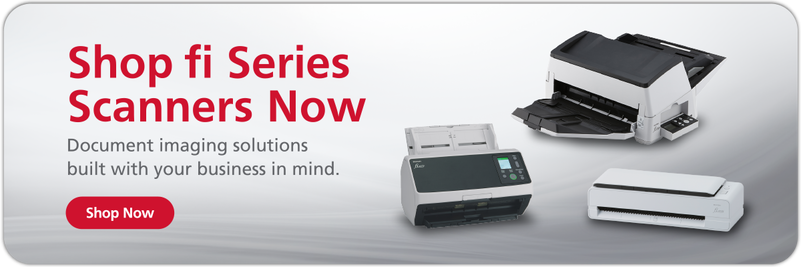
Document digitization requires the right hardware and software to get the job done. RICOH fi Series scanners are built for businesses, featuring rapid scanning speeds and paper handling that minimizes jams and errors. Paired with the PaperStream Capture Pro software, you’ll be ready to quickly build a robust digital library thanks to specially-tuned features such as:
- Accurate OCR
- Detailed metadata tagging
- Efficient file sorting
- Powerful image enhancement
- Automatic data extraction
PaperStream Capture Pro streamlines and automates a lot of the busywork that goes along with digitization. That means your staff can spend less time overseeing the project and more time focusing on their regular work. Once you start digitizing your physical documents, you’ll be well on your way to a complete digital transformation.
Note: Information and external links are provided for your convenience and for educational purposes only, and shall not be construed, or relied upon, as legal or financial advice. PFU America, Inc. makes no representations about the contents, features, or specifications on such third-party sites, software, and/or offerings (collectively “Third-Party Offerings”) and shall not be responsible for any loss or damage that may arise from your use of such Third-Party Offerings. Please consult with a licensed professional regarding your specific situation as regulations may be subject to change.