Find out how room sizing, projector placement, and other factors all go into making the perfect simulator
Golf has experienced a renaissance in recent years. As more people fall in love with the sport, they’re looking for new ways to hang out with friends and practice their swing in a casual setting.
Enter the golf simulator. What began as a niche hobby has transformed into a major business, with over six million Americans hanging out at the virtual range in 2023 — a 73% increase over pre-pandemic rates.
If you’re looking to join the ranks by hitting the links at home, or you want to start a new business, our golf simulator setup guide is here to help you put together a space that is both fun and functional.

Things to consider when creating a golf simulator space
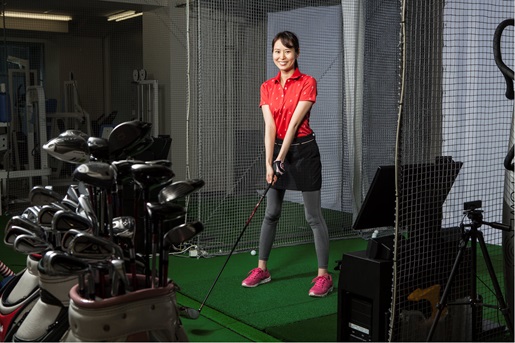
Whether you’re setting up a business or your own personal play space, there are a few components that you’ll find in most golf simulator setup:
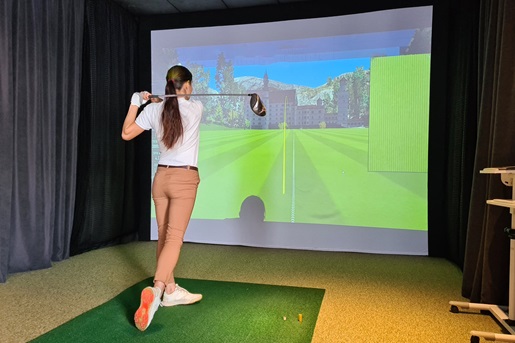
- A projector to display the virtual links.
- A golf simulator impact screen to display the image on.
- A launch monito to calculate your swing and send that information to your simulation software.
- And the software itself which powers your virtual golf course.
Before you spend tens of thousands of dollars on your simulator, take the time to understand what will suit your space the best. Doing so now will save you a ton of headaches in the long run.
Room size
How much space do you need for a golf simulator? Less than you might think, but it depends on several factors.
First, you should begin by figuring out how much total space you have available. If you’re running a business, you’ll likely want to choose a venue with enough room to house several simulators in a single space. If this is a personal project, you’ll need to find a spot in the garage or a spare room that will let you get the most out of your golf simulator setup.
Consider the following when trying to find the right spot:
- Golf swing: You must ensure you have enough space to swing the golf club without hitting walls, nearby objects, the ceiling, or the projector. You should be able to swing it like you would at a real-life golf course, with enough room to drive the ball with force. If you plan on having multiple golfers use the simulator, test swings with a variety of heights, club lengths, and left- and right-handedness to give everyone enough clearance.
- Immersion: Using a bigger screen will really sell the feeling that you’re swinging away at Pebble Beach. But that means having a larger wall available for your screen. You may not be able to dedicate an entire room to your simulator. In that case, an enclosure is a great way to create a golf simulator setup without making permanent modifications to your house.
- Space for spectators: Is this space just for you to get some practice in, or do you plan to have some friends over to smack a few balls around? Or, does your business plan to have multiple simulators running simultaneously? If your golf simulator setup is meant to be a communal experience, you’ll need enough space for people to hang out and watch without getting hit by swinging clubs or errant golf balls.
Once you have an idea of the kind of space you want, you’ll start piecing together the area for your golf simulator setup. The actual dimensions you use will come down to the space you have available, but these measurements provide the optimal experience.
- Height: 9’ is typically a good enough ceiling height for golf simulators. It’ll allow most people to get a good, full swing with their club.
- Width: 9’ is perfect for a single user, but if you want to provide the best experience for left- and right-handed users, you’ll want at least 14’ so you can keep the tee centered.
- Depth: 18’ offers the most versatility and comfort for your golf simulator setup. It’ll allow for a full foot between the impact screen and wall, plenty of room between the screen and tee to calculate accurate drdives, and a good amount of space for anyone else to hang out nearby without getting hit by your backswing.
Lighting
Your golf simulator setup needs lighting that will provide plenty of visibility and keep you aware of your surroundings while working in conjunction with your launch monitor.
Darker rooms provide more immersion, but can make it difficult to see the ball or find your way around the room. Too much light will wash out the projected image unless your projector has a high lumen count.
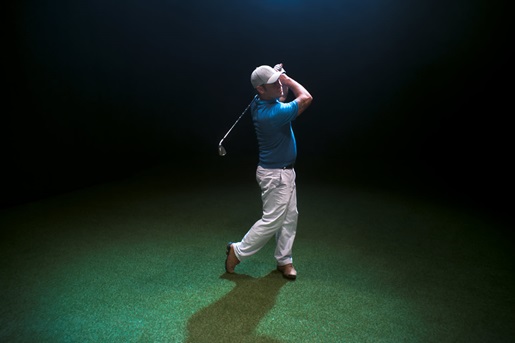
If a dark or dim room is your goal, you’ll want to start with a spotlight that targets the green. This will give you ample visibility on the tee while keeping the room dark enough to keep your simulated image pristine.

Click here to download the full infographic
Screen
You’ll be smacking golf balls directly into your screen, and golf drives can easily reach over 100mph. Typical projector screens designed for home theaters aren’t designed for that type of wear and tear, so you’ll want to find a golf simulator impact screen. They’re made of more durable materials that are designed to withstand a ton of punishment without sacrificing image quality. The kind you get will depend on your budget and plans — a business that has customers whacking balls into the screen all day every day will likely want to invest in higher-end screens, but the home golfer working on their swing over the weekend probably doesn’t need something that robust.
Projector placement tips for the best golf simulator setup
Hanging your projector in the right place is perhaps the most important part of the golf simulator setup process. These tips will help you get it right the first time.
- Ceiling mounting is usually the best option. This keeps the projector out of the way of your swing and minimizes the likelihood of shadows from the golfer or spectators appearing on the screen.
- Mount the screen above the ball line. Doing so will keep the image centered and boost launch monitor accuracy.
- Use a short throw projector. Placing the projector behind the golfer to maximize image quality is perfectly acceptable, but you must be very mindful of unnecessary shadows when placing it. A short throw projector can be placed much closer to the screen without reducing image quality, allowing you to keep the projector in front of the golfer and removing the likelihood of shadows almost entirely.
- Measure your golf swing. Hang a piece of cardboard where the projector is likely to go and see if your swing will hit it. Try with a variety of club sizes and have other people try swinging to check different variables. If your swing clears the cardboard, you’re good to go.
- Install your projector first, then your screen. That way, you can still ensure your image is framed and centered, even if your projector placement is slightly off.
Did You Know?:Ricoh’s patented projection lens unit technology is used in approximately 31% of the projectors on the market today. Click here to learn more about our projector line.
How to reduce shadows and improve image quality
You want to keep your golf sim area dark to make the picture on the screen as vibrant as possible. You still have to see where you’re going, though. Here’s how to strike a balance between visibility and immersion.
- Be clever with lighting placement. Wall sconces, spot lights, LED strips, and floor running lights all work together to provide visibility without throwing shadows on the screen. Experiment with placement and brightness to find the best setup for your room.
- Place the projector closer to the screen. Hanging the projector above and in front of the golfer will keep light from shining through obstacles.
- Pick the right projector. A projector with a high lumen count can provide vivid and crisp images even in well-lit rooms.
- Adjust the simulator’s graphics settings. Your software may have additional settings within the options menu that allow you to lock in the appropriate brightness levels or visual fidelity for your setup.
Our recommendation: RICOH Projectors
Your whole golf simulator setup relies on your projector, so get one of the best. The RICOH WUL5A50 is compact, versatile, and capable of delivering up to 5,200 lumens, making it an excellent fit for a variety of room sizes or placement strategies.
Need to make the most of your space? Check out the RICOH UHL3660: an ultra short throw projector capable of delivering stunning 4K images between 85” and 160”, even when it’s placed centimeters away from the screen. For golf simulator setups, be sure to include appropriate protective measures to keep the projector safely out of the ball’s path.
Whatever you pick, you’ll get a fantastic picture and long-lasting performance designed to help you perfect your golf swing for years to come. Click here to learn more or shop the rest of Ricoh’s projector line.
Note: Information and external links are provided for your convenience and for educational purposes only, and shall not be construed, or relied upon, as legal or financial advice. PFU America, Inc. makes no representations about the contents, features, or specifications on such third-party sites, software, and/or offerings (collectively “Third-Party Offerings”) and shall not be responsible for any loss or damage that may arise from your use of such Third-Party Offerings. Please consult with a licensed professional regarding your specific situation as regulations may be subject to change.