Find inspiration and tips for a great office golf or home golf simulator
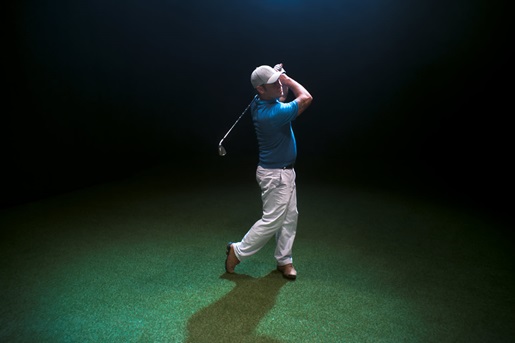
There’s nothing like a warm, sunny, and not-too-breezy afternoon at the golf course. But golfers don’t have to hang up their clubs just because it’s raining or they have to take an important call in 45 minutes. Indoor golf simulators can help turn any space into a haven for golfers. That said, the considerations that go into a golf simulator setup can vary substantially depending on whether it’s for the office, for a retail or service business, or even for your home. These guidelines will help you decide where the best place to set up your own sim might be.
Jump to a section:
- How offices are using golf simulators for team building and entertainment
- The role of golf simulators in pro shops and training facilities
- Golf simulators in entertainment centers: Enhancing the customer experience
- Own your experience with a home golf simulator
- Choose a great projector for your indoor golf simulator

How offices are using golf simulators for team building and entertainment
Spending a day out on the links is a common way for executives to foster relationships and start conversations that will continue back in the boardroom. It’s also a great way for coworkers to relax and bond.
On the other hand, a typical weekday game of golf takes about 4 hours, according to the United States Golf Association. That’s a long time to spend away from the office for some networking or team building. Meanwhile, less-seasoned golf players may hesitate to step up to the real-life tee box for fear of embarrassing performances or slowing others down. That deprives them of great opportunities to get experience and build relationships.
Setting up an office golf simulator brings the fun and challenge of golf right to your workplace. Instead of clearing out afternoon schedules for a whole team, employees can drop by to enjoy a hole or two before getting back to work. Without the pressure of others watching and waiting to play, newer golfers can relax and focus on improving their game before the next outing.
Indoor golf simulators can be a practical addition for many workplaces, but here are a few factors to consider as you choose your location:
- Lighting: Depending on where you set up your office golf simulator, you may need to deal with outdoor light from windows or too little interior illumination. Make sure golfers can clearly see the ball and the area around them, and consider your projector lumens based on the environment.
- Noise level: Golf drivers can produce noise levels around 120 dB — that’s louder than a chainsaw — on a solid hit. Striking the impact screen isn’t quiet either. Ensure your indoor golf simulator space is far enough away from working spaces to not be a disruption or is effectively soundproofed.
- Accessibility: If you want all of your employees to feel welcome, make sure your office golf simulator is in a spot they can easily access with minimal barriers. For instance, proactive cable management is a great way to reduce trip hazards and increase accessibility.

Click here to download the full infographic
The role of golf simulators in pro shops and training facilities
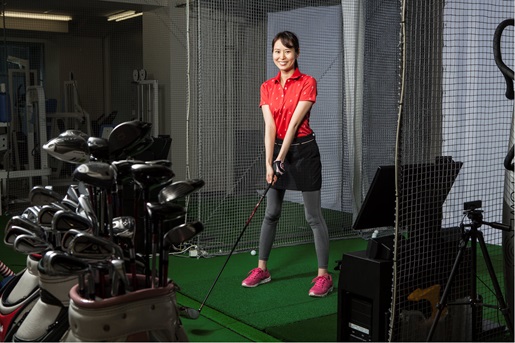
Indoor golf simulators are a natural fit for pro shops and other businesses that cater to golfers. A little work to retrofit existing spaces lets you expand your service offering with minimal extra overhead. Here are a few ideas that a golf sim could open up for your business:
- Training: Golf simulators make ideal training tools because they allow for easy repetition and instant analysis. Combined with feedback from your expert staff, clients may be able to improve their game even faster than they would out on the course.
- Try-before-you-buy: Customers don’t need to wonder how a new iron will feel once they can really give it a swing — they just need to take it to the simulator. On-site simulators make it much easier to offer pre-purchase trials while minimizing the chance of damaged goods or potential theft.
- Play sessions: Sometimes the weather doesn’t agree with your golfing plans. Other times, you can’t spare an afternoon, but you could squeeze in an hour-long session. Indoor golfing simulators make it easy to unlock a new revenue stream while giving customers a great experience.
Golf simulators in entertainment centers: Enhancing the customer experience
Looking to broaden your entertainment center’s appeal? An indoor golf simulator may help you reach new demographics while offering fun new experiences to all your guests. Whether you run an existing entertainment center or are considering building a new one, here are a few of the ways an indoor golf simulator can contribute to your business:
- Leagues: Indoor golf leagues are booming in popularity, and a golf sim setup gives you everything you need to let guests join in the fun. Leagues require some effort to set up and run, but they’re a great source of recurring revenue as players come back week after week.
- Special events: An indoor golf simulator fits in well with broader offerings for special events. It’s easy to rent out each booth by the hour. You can even offer the virtual “19th hole” experience by offering a bevy of beverages and snacks to spectating players.
- Arcade play: Many modern golf sims don’t just recreate the experience of playing 9 or 18 holes. They can turn each stroke into a zombie-battling, flag-capturing, cinematic adventure. These arcade-style experiences are a great way to draw in guests who have never held a club before (and to give aspiring pros a new way to show off).
Did You Know?:You have many options when choosing the right projector for your indoor golf simulator. Make sure you know 11 of the most important features that determine projector quality.
Own your experience with a home golf simulator
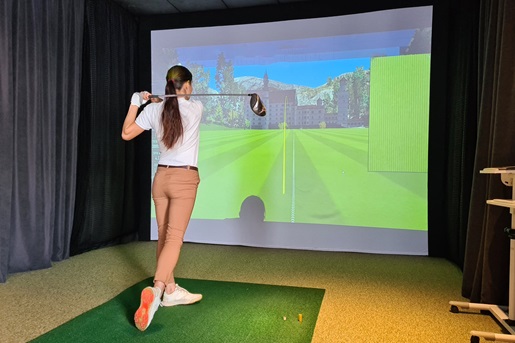
Want the feel of hitting the links without having to change out of your pajamas? There’s no substitute for a home golf simulator. Getting the best possible experience from your personal setup takes careful planning, but the end result is worth the effort.
The first factor to consider before starting your project is space. Our golf simulator setup primer lays out more of the aspects to consider, but you’ll likely want to have a room that’s at least 9 feet high, 14 feet wide, and 18 feet deep to offer a great expeYou’ll also want to create ideal conditions for superior image quality, so you can see the green of the grass and those flags flapping in the distance. Our guide to optimizing golf simulator image quality will help you keep a superior play experience in focus.
Choose a great projector for your indoor golf simulator
No matter where you use it, you’ll need a great golf simulator projector to bring each course to life. The versatile RICOH WUL5A50 is an excellent choice for commercial and residential indoor golf simulators. With powerful performance in a compact frame that weighs under 12 pounds, you’ll get great image quality across a range of placement types and light conditions.
For more specialized setups, you could opt for the short throw RICOH WUL5A40ST or ultra short throw RICOH UHL3660, which minimize shadows while offering superior performance in even relatively cramped conditions. A maximum brightness of 4,500 lumens with the WUL5A40ST or 6,500 lumens via the UHL3660 means you’ll see the fairway clearly even with more light from external sources.
We’re happy to help you choose the best match for your new indoor golf simulator. Click here to learn more or shop the rest of Ricoh’s projector line.
Note: Information and external links are provided for your convenience and for educational purposes only, and shall not be construed, or relied upon, as legal or financial advice. PFU America, Inc. makes no representations about the contents, features, or specifications on such third-party sites, software, and/or offerings (collectively “Third-Party Offerings”) and shall not be responsible for any loss or damage that may arise from your use of such Third-Party Offerings. Please consult with a licensed professional regarding your specific situation as regulations may be subject to change.