
Meeting your customers’ financial needs when, where, and how they need it
A decade ago, digital banking was a curiosity. Now, it’s the way we do business every day. Mobile apps, digital deposits, and tap payments have replaced frequent trips to the bank. People can manage their money right from their smartphones and make smarter financial decisions on the spot. If you work in the banking industry, your customers are relying on you to build the digital infrastructure they need.
Most financial institutions already offer some digital banking options, such as checking balances online or transferring money between accounts. If your organization already has the basics covered, then it’s time to look toward the future. After all, digital banking isn’t just about dealing with money. It’s also a way to improve your cybersecurity, automation, and onboarding practices. With the right hardware and software, you can make banking faster and easier for both your staff and your customers.
What is digital banking?
Digital banking is a collection of technologies and processes that allow people to manage their finances from electronic devices. With digital banking, customers don't need to visit their local branch to perform simple functions like accessing their bank accounts, transferring funds, or managing investments.
Benefits of digital banking
- Accessible banking: Having access to their accounts 24/7 makes customers’ lives easier. It’s also more convenient for making digital payments and transferring money.
- Enhanced security: Robust encryption and multi-factor authentication (MFA) capabilities help protect customer accounts.
- Powerful tools: Dedicated apps can give customers the tools they need to invest their money and analyze how their portfolios have grown over time.
What’s next for digital banking?
- Cloud computing: Financial institutions are working to move more data into the cloud. This digital infrastructure offers more flexibility and greater access to data.
- Blockchain: Blockchain technology does more than support cryptocurrency. It also allows financial institutions to maintain precise digital records for each transaction.
- Artificial intelligence: AI’s data processing capabilities hold immense potential for digitized banking. Some organizations are already using AI and machine learning (ML) to predict market trends and offer round-the-clock customer service.
Read more about the origins of digital banking in What Is Digital Finance?
Did You Know?:The RICOH fi-8170 can scan up to 70 pages per minute at 600 dots per inch (DPI) resolution. A 100-sheet automatic document feeder (ADF) helps streamline the scanning process. Click here to learn more.
How to start digital banking
Digital banking is one of the most important ways to meet today’s customers where they are. Smartphones are everywhere. More people than ever use mobile devices to manage their finances. In fact, a study conducted by Chase Bank found that nearly 80% of consumers use a mobile banking app at least once a week. Organizations that undergo digital transformations can make these services more accessible.
What technology do you need for digital banking?
- Imaging solutions allow banks to scan and convert physical documents into digital files.
- Document management systems can make digital storage, retrieval, and security easier to manage.
- Cloud services provide the infrastructure that connects the public to their digital finances.
Digital banking challenges
- Security and compliance: Financial institutions must follow legal regulations to secure banking data. Failing to do so can lead to significant penalties, such as hefty fines.
- Organization: Employees can still misplace digital files. Banks should install digital systems that organize and store files in a predictable, reliable way.
- Buy-in: A digital transformation will only work if everyone follows the necessary procedures. Falling back on outdated procedures makes things less efficient and secure.
For more information about how banks can embrace the digital landscape, check out How Finance and Bank Digital Transformation Works.
Why do you need bank document management systems?
Banks need to store digital files in a manner that follows stringent security and compliance standards. Document management systems can help your organization achieve these goals. These systems help banks process and store their digital information. They can also make digital file organization and accessibility more manageable.
Document management system features
- Single source of truth: Important financial documents go through lots of revisions before they’re complete. A document management system helps keep track of changes and points employees toward the latest version.
- Strong cybersecurity: Access policies, MFA, and data encryption help keep documents safe from prying eyes, whether employees are working in an office or remotely.
- Automated processes: Ingesting, storing, and archiving documents can eat up a lot of time and effort if workers have to work with one document at a time. A document management system can process files quickly and at scale.
What to look for in document management systems
- Smart organization: Naming and tagging files by hand is time-consuming. Instead, document management systems use intelligent technology to analyze, filter, and apply metadata tags to files to keep them organized.
- App and mobile integration: Documents must be accessible across a variety of devices. Mobile integration helps to ensure that users get the same quality experience on any device.
- Powerful search: Find the information you need, even if you don’t know exactly where it is. Enhanced search functionality allows users to locate what they’re looking for, whether they’re looking for a file by name or by contents.
For other helpful features, read Bank Document Management Systems: 7 Things to Look For.
Did You Know?:The RICOH fi-8170 can scan up to 70 pages per minute at 600 dots per inch (DPI) resolution. A 100-sheet automatic document feeder (ADF) helps streamline the scanning process. Click here to learn more.
What is automation in banking?
Automation allows digital banks to process more claims and manage more accounts. These processes allow banks to provide better service to more customers.
Benefits of banking automation
- Reduced human error: Workers get tired over time and make mistakes. By automating high-volume tasks like routine data checks and form transcriptions, you can get more accurate, consistent inputs.
- Better scalability: Automation allows financial institutions to process more account information with fewer resources. Machines can work through thousands of forms in the time it would take an employee to process dozens.
- Faster communications: With automated account monitoring and notification technology, users get up-to-the-minute information about their money, no phone calls required. They can even get messages after-hours.
How can you use automation in banking?
- Customer service: Banks can roll simple customer requests into automated tools. This reduces the burden placed on customer service representatives. That way, employees have more time to work with customers who have more complex needs.
- Fraud detection: Automated systems can scan customer spending patterns to detect suspicious activity. These systems will then notify customers and internal representatives. Banks can then lock down accounts and protect customer finances from fraudulent purchases.
- Loan approvals: Loan applications examine a specific set of criteria before being approved. Manual review of these applications can take weeks to complete. Instead, automated systems can examine submitted information and make instant approvals.
Learn how automation enhances digital banking in What Is Automation in Banking?
How to onboard bank customers
Opening an account is usually the first experience a customer has with your bank. Analyzing and improving your onboarding processes will help to create a seamless experience. Doing so will go a long way toward instilling confidence and building trust.
The benefits of customer onboarding
- Higher retention rates: When customers understand just how many tools and resources they have at their disposal, they may have fewer reasons to close their accounts and go elsewhere.
- More satisfied customers: Customers who can do basic banking tasks by themselves may feel more empowered and self-sufficient. They may also get shorter wait times when calling about complicated issues, since fewer customers will need to call about the basics.
- Reduced fraud: Onboarded customers are informed customers, meaning they’ll know how to check their records and notifications for signs of fraud. Working together, customers and bank representatives can spot and shut down suspicious activity.
How to improve bank customer onboarding
- Create a customer journey flowchart: Create a flowchart that accounts for the most common touch points during customer onboarding. That way, you can examine which areas are causing the most friction and improve them.
- Design in-person and digital steps: Only 9% of people prefer to do their banking in person at their local branch. Make sure that your digital onboarding systems have parity with your in-person ones.
- Offer comprehensive support: New customers will run into snags every now and then. Offering automated support will help ensure most rudimentary questions get answered quickly. These systems can also help to reduce the workload on your representatives.
Discover more onboarding tips in 5 Keys to Creating Effective Bank Onboarding Processes for Customers.
Our recommendation: PaperStream Capture software
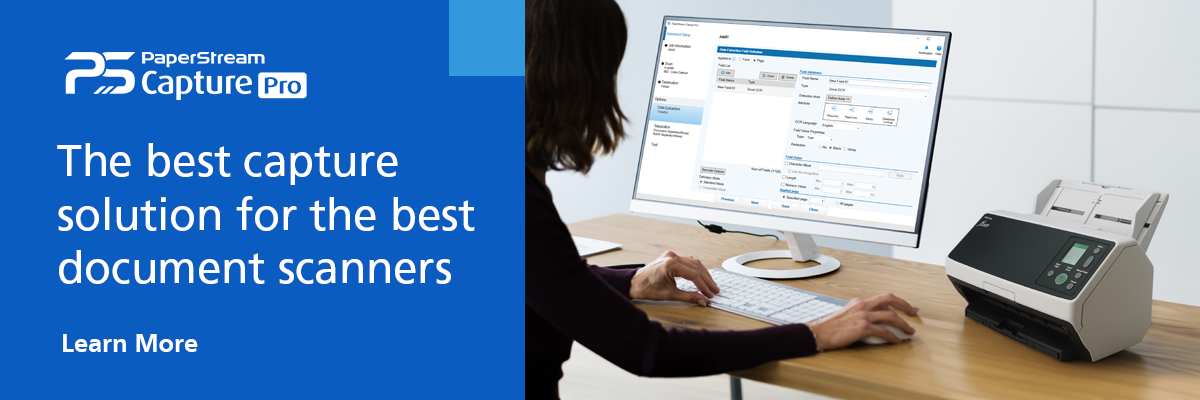
Even if your institution already has a digital banking program in place, there are so many ways to enhance it. To get started, you’ll want to make sure that all of your relevant records are digitized, organized, and indexed for search. That’s where Ricoh’s PaperStream Capture software can help.
PaperStream Capture is a powerful program that comes with Ricoh document scanners. Using accurate optical character recognition (OCR) algorithms, PaperStream can convert physical paperwork into digital text, tagging files with the proper metadata and sorting them into specified folders as it goes. The software can even automatically extract important data and add that information directly to databases. From there, you can create digital banking processes that help your customers make the most of their money.
Note: Information and external links are provided for your convenience and for educational purposes only, and shall not be construed, or relied upon, as legal or financial advice. PFU America, Inc. makes no representations about the contents, features, or specifications on such third-party sites, software, and/or offerings (collectively “Third-Party Offerings”) and shall not be responsible for any loss or damage that may arise from your use of such Third-Party Offerings. Please consult with a licensed professional regarding your specific situation as regulations may be subject to change.