
Learn the fundamentals of document security to protect your data without sacrificing efficiency or ease of use
A document security plan helps keep your business’s sensitive data exactly where it belongs. Information about your company’s finances and customers needs to stay private, available only to authorized users. At the same time, though, those users shouldn’t need to deal with complicated permissions and arbitrary restrictions just to do their jobs. A smart approach to document security lets you balance privacy and usability.
In the past, document security tended to involve locked doors and filing cabinets. That meant paperwork was prone to getting lost or damaged. This arrangement also meant that only one worker could access a record at a time. Modern document security solutions are digital, leveraging the productivity software and cloud services that you probably already use. In this guide, we’ll cover how to keep your digital files safe, shareable, and compliant with regulatory standards.
What is document security?
Document security is a set of tools and best practices to keep your business records both safe and accessible. The average data breach costs nearly $4.9 million. One of the most important ways to keep your organization’s data safe is through secure document storage. Following a few key guidelines and adopting modern technologies can help keep your documents more secure today and for many years to come.
Document security benefits
- Safer documents: Physical documents can get lost or damaged. Unsecured digital documents are easy to steal or delete. Properly secured files stay where they’re supposed to.
- More accessible information: Only one worker can access physical paperwork at a time, and they have to be on-site. Digital document security lets you safely share files online.
- Reduced costs: Handling access requests for paperwork manually takes time and effort, usually from employees who have other specialized skills. Automating the process keeps employees focused on more productive tasks, saving money overall.
Document security best practices
- Digitize your documents: The first step toward better document security is digitization. Physical documents must be secured behind lock and key, requiring extensive resources to both store and access them. Software can secure digital documents with only minimal human oversight.
- Sort by sensitivity: A memo about an upcoming company social does not require the same level of document security as in-depth fiscal report. When you sort your documents based on their security level, you can require controlled access for only high-security docs. That can protect your company without slowing work down.
- Embrace archiving: How do you know when a document is ready to move off your main systems? A systemic approach to document archiving will tell you. Ensure your document security includes policies and resources for long-term storage processes. It should also outline when to securely destroy different types of documents.
Read more about key approaches to document security in Secure Document Management: Best Practices and Tips and Document Archiving: Securing Documents for the Long Term.
Did You Know?:Digitizing a company’s documents en masse doesn’t have to be a time-consuming chore. The RICOH PaperStream Capture Pro software automates your data entry workflows with advanced form processing and streamlined quality control.
What to look for in document security software
When paired with best practices across your organization, modern document security software can protect your information in multiple ways. A good program can prevent improper access, show who saw what and when, and keep your daily processes moving efficiently. Here are some ways to choose the best fit for your business.
Document security software features
- Access control: If nothing else, your document security system needs to determine who can access what documents. It should be able to account for individual accounts, departments, current devices, and more before granting a user access to a document.
- Audit trails: To ensure accountability, you may need to find out who had access to which documents, and whether they made any changes. Automated audit trails create a single source of truth so you can quickly establish where critical information came from.
- Ease of use: If your document security system is too hard to use, employees may find other ways to get their work done. This “shadow IT” is typically much less secure and may open your data up to breaches or misuse.
To protect your organization’s sensitive information, check out Document Security Solutions: Tools and Software Safeguarding Business Data.
What is document encryption?
Effective document encryption can be the difference between a threat actor compromising private info or trying to make sense of a long line of seemingly random characters. By securing the keys used to encrypt and decrypt your documents, you can reduce the chances of improper file usage.
Symmetric vs. asymmetric encryption
- Symmetric encryption uses the same key for both encrypting and decrypting. This process is often quicker than asymmetric encryption, but less secure.
- Asymmetric encryption uses different keys for encrypting and decrypting. This process is typically slower than symmetric encryption, but more secure.
Document encryption benefits
- Secure sharing: Some level of encryption is built into most modern messaging or file-sharing applications. Unfortunately, a range of factors can limit their effectiveness. Dedicated document encryption gives you more confidence that only your intended party can access documents however you send them.
- Data breach protection: Data breaches could happen to all kinds of businesses, no matter how strong their overall cybersecurity may be. Using encryption in your document security helps presents a substantial hurdle for attackers to overcome. Even if they have a file, they may struggle to open or read it.
- Better compliance: Depending on what your company does, you may be required to encrypt your documents when at rest, in transit, or both. If your field has seen updated regulations or industry guidance on data in recent decades, there’s a good chance it mentions encryption.
Learn more about securing your documents in Document Encryption: Keeping Your Documents Safe in the Digital Age.
Did You Know?:One far-reaching way to modernize your business practices is by going paperless. Check out our primer on how to build a paperless office strategy to learn more.
What is document compliance?
If you work in a regulated industry, you probably don’t have to reinvent the wheel when it comes to document security. Following established document compliance measures can help you secure your data against improper access. It can also prepare you for potential audits and increase interoperability with partners.
Ensuring that your documents comply with regulations depends on your particular industry and the tools you have at your disposal. Generally speaking, compliant documents are also access-controlled, encrypted documents with clear audit trails and limited shareability.
Examples of document compliance standards
- GDPR: The EU’s General Data Protection Regulation enforces data privacy and security for all individuals inside, and possibly outside, the EU. Rather than create separate policies based on region, many businesses ensure all their electronic recordkeeping meets GDPR standards regardless of origin. Failure to abide by GDPR could result in penalties of up to tens of millions of euros.
- HIPAA: The Health Insurance Portability and Accountability Act created regulations for companies that deal with healthcare data. That includes definitions of what protected health information (PHI) is and how to handle it. Even if your company isn’t a healthcare provider, it may need to abide by HIPAA if it works with clients in the medical field.
- SOC 2: Your organization’s controls for information security, availability, integrity, and other key measures are part of a SOC 2 report. Many companies looking for a potential service organization to partner with may need to require a SOC 2 report created within the last 12 months.
Check out Document Compliance: 5 Security Standards to Know for more details on document compliance in different fields.
Our recommendation: PaperStream Capture Pro
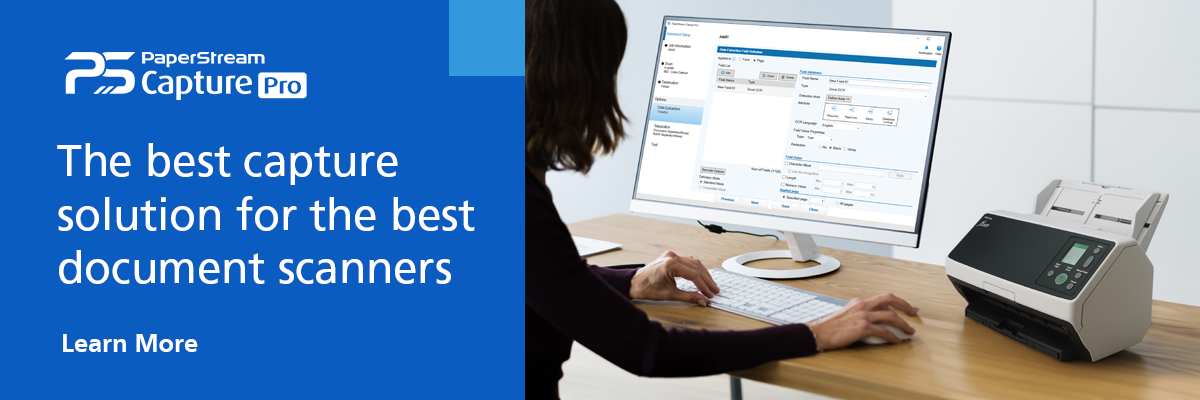
Document security relies on clean and accurate digitized data. The best way to get that is with a good piece of scanning software. The RICOH PaperStream Capture Pro can help you turn a backlog of physical records into searchable digital data. Smart optical character recognition (OCR) features make scanned text editable and indexable, while metadata tagging lets PaperStream automatically sort files into the proper folders. With easy-to-find, properly organized data, your document security strategy will be off to a strong start.
Note: Information and external links are provided for your convenience and for educational purposes only, and shall not be construed, or relied upon, as legal or financial advice. PFU America, Inc. makes no representations about the contents, features, or specifications on such third-party sites, software, and/or offerings (collectively “Third-Party Offerings”) and shall not be responsible for any loss or damage that may arise from your use of such Third-Party Offerings. Please consult with a licensed professional regarding your specific situation as regulations may be subject to change.