
Learn what unstructured data is, and how your business can capitalize on the information that you already have
Take a moment and think about just how much unstructured data your business needs to run. “Unstructured data” refers to any digital information that doesn’t fit neatly into a database, like vendor contracts, social media posts, and product photos. Emails, websites, online chats, training videos, and sensor logs from smart devices are also unstructured data. These kinds of files aren’t easy to organize, but they contain tons of useful intelligence.
To make the most of your company’s unstructured data, you’ll need to know exactly what it is, how it differs from structured data, and which tools you need to analyze it. Once you know how to sort and examine this information, you can gain valuable insights into past trends and future opportunities.
What is unstructured data?
Unstructured data is any type of data that cannot fit neatly into a database. For instance, a database could contain all the relevant info about a single sales transaction (date, time, buyer, price, and so on). It could not do the same for an audio recording of customer feedback about that transaction. The latter example is no less useful, it simply requires more work to access the insight it contains.
Unstructured data challenges
- Storage space: Multimedia files, especially videos, might need dozens or hundreds of gigabytes of digital storage space.
- Security and compliance: Industries with regulatory standards might require you to store unstructured data in access-controlled or password-protected folders.
- Organization: Since unstructured data can’t be added to a neatly organized database, you’ll have to develop your own folder structure to help workers find files easily.
Types of unstructured data
- Multimedia files: AI-powered processing techniques are advancing fast. However, it’s still difficult to search and categorize files like images and videos. These may include important product documentation or even recordings you must legally retain.
- Text documents: Databases typically have room for strings of text. They can’t often host whole documents in their native form, however. That means Word files, emails, and scanned documents are commonly unstructured data.
- Websites and social media: If you have a web presence, you have unstructured data. HTML pages, design docs, and many of the files you host on your site fit the bill. This also goes for the posts, images, and videos you share on social media.
Read more about the basics in What Is Unstructured Data? Types and Definitions and Understanding Unstructured Data: Examples and Insights.
Did You Know?:Ricoh’s PaperStream Capture software makes it easy to digitize your paper documents and retain their data for further use. Find out more and download here.
What’s the difference between structured data and unstructured data?
One way to understand the breadth and utility of unstructured data is to contrast it with structured data. Both are useful for increasing efficiency and doing analysis. However, they must be handled in different ways for the best possible results.
Examples of structured data
- SQL databases: Searchable files with tight constraints on what kind of data can go into any given field
- Excel spreadsheets: Organized, queryable words and numbers with the option for mathematical formulas
- Metatags for search filtering: Discrete tags with specific file associations, organized within a database
Structured data vs. unstructured data management
- File storage: Structured data must be stored in a location that supports its format. One common example is data warehouses. On the other hand, unstructured data can be stored more flexibly: in a file structure on your network system, in a data lake, or so on.
- Hardware and software tools: Search query language (SQL) is one of the most common languages used for structured data. Database software such as MySQL can then develop and maintain SQL databases. Meanwhile, handling unstructured data may require a scanner, social media searches, or various other approaches.
- AI and ML analysis: Machine learning tools can process vast quantities of structured data in a short period of time. Unstructured data requires a specialized approach for each type. However, the potential insights that can be gleaned from that data make the effort worthwhile.
Read more about critical differences between these data types in Structured vs Unstructured Data: 4 Key Distinctions.
Unstructured data uses
To get value from your organization’s unstructured data, you must know how to break it down and find that value. That’s where unstructured data analytics comes in. This refers to organizing the data and then using both knowledge and automated tools to find the patterns it contains. The more data you can extract and compare, the better.
How to use unstructured data
- Customer feedback: Read over correspondence and reviews to see how customers feel about what you sell
- Cybersecurity frameworks: Analyze potential weaknesses in your security systems and come up with countermeasures
- Growth opportunities: Use financial reports to make sense of past trends and predict what might happen in the future
How to analyze unstructured data
- Manual inspection: All unstructured data needs some kind of interpretation. Using an expert to parse each piece of data can be time-consuming and expensive. But for document types that are still difficult to analyze automatically, it may be the best solution.
- Text mining: Specialized software can pick up patterns in text and surface relevant info. This may include contact information as well as specific words and phrases you request. Once the software has pulled out these bits of info, they can be stored as metadata in a structured database.
- Sentiment analysis: It can be difficult to determine how people feel about an issue without relying on anecdotes or extensive surveys. Sentiment analysis lets you find positive or negative words, as well as more complex phrases, to turn text into data points on how people feel. It’s often used on public social media posts for the broadest possible base.
Read about how to do more with unstructured data in Making Use of Unstructured Data: Analytics and Applications.
Did You Know?:Ricoh’s data management solutions can help you improve efficiencies and reduce costs. Click here to learn more.
What is dark data?
Modern businesses generate and use massive amounts of data. Sometimes that data isn’t properly processed or is corrupted. Sometimes, its workflow goes awry and it’s simply forgotten. Learning how to find your business’ dark data will help you capitalize on these assets while ensuring compliance.
Types of dark data
- Corrupted files might contain useful information, but getting them to work is often difficult or impossible.
- Misscanned paperwork runs the gamut from “mostly fine” to “completely illegible,” but almost always needs a real person to read through it.
- Forgotten documents could be mislabeled, sorted into the wrong folder, or deleted by accident.
How to manage dark data
- Audit your processes: The first step in finding dark data is knowing the processes that may create it. Once you identify potential sources of dark data, such as improperly documented workflows, you will likely have an easier time tracking it down.
- Double-check your file storage: Set aside regular times to go through data stores and classify their contents. Wherever you find misplaced data, move it to its proper location. Maintain a logical map and break down data silos wherever possible.
- Create data management policies: A well-defined, easy-to-follow workflow can be your best defense against dark data. Employees need to know how to treat any piece of information that enters the organization. That includes steps for proper storage, such as where and how long to retain data.
Read more about dark data in Dark Data: What It Is and How to Shed a Light On It.
Our recommendation: PaperStream Capture
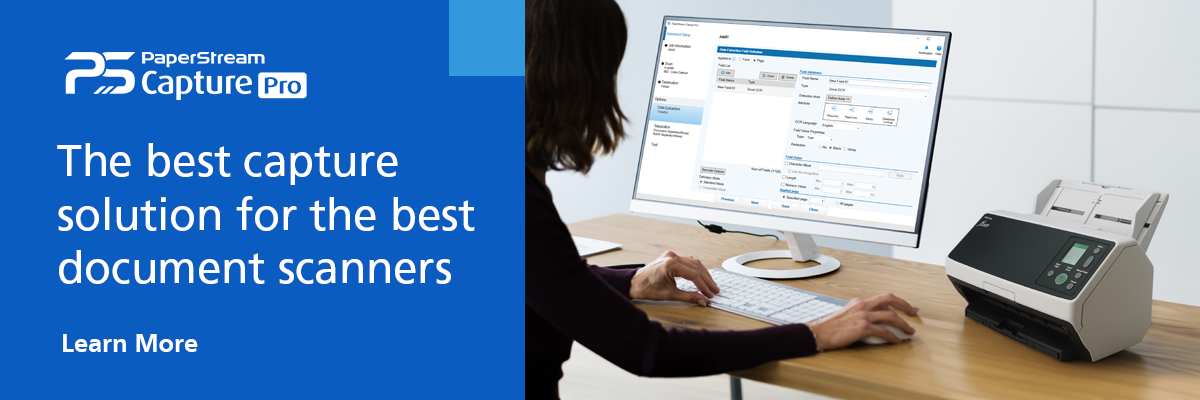
You need to process unstructured data before it can benefit your organization. But the right tools and partners can make that extra step a lighter lift. That’s why we recommend Ricoh’s PaperStream Capture software to turn your paper documents into digital assets with the most accuracy and efficiency possible. PaperStream helps you organize and process digitized documents by using sophisticated optical character recognition (OCR) techniques to produce clear, searchable text. The program can also tag metadata and sort files into the appropriate folders.
For more information on how to build value from your organization’s unstructured data, get in touch with us today.
Note: Information and external links are provided for your convenience and for educational purposes only, and shall not be construed, or relied upon, as legal or financial advice. PFU America, Inc. makes no representations about the contents, features, or specifications on such third-party sites, software, and/or offerings (collectively “Third-Party Offerings”) and shall not be responsible for any loss or damage that may arise from your use of such Third-Party Offerings. Please consult with a licensed professional regarding your specific situation as regulations may be subject to change.