
Whatever your business does, you probably need a lot of paperwork to do it. As you digitize your documents, scanning software with optical character recognition (OCR) can help you parse that paperwork much faster and more efficiently. Not only does OCR quickly and accurately digitize text, but it can also help you route files and extract data. That means faster information retrieval, better-organized folders, and more complete databases.
If you’re not familiar with the benefits of OCR, now is the time to learn. Once you understand how OCR works, you can incorporate this game-changing technology into your workflow. You’ll spend less time on tedious transcription and more time exploring your data for valuable insights.
Jump to a section:
What Is OCR?
OCR, or optical character recognition, is a technology used to turn printed text into digital text. Here's how OCR works:
- An employee scans a piece of paper.
- Scanning software converts the document into a digital image.
- OCR examines the page using pattern analysis and algorithmic matching.
- When OCR identifies a text character, it adds that character to the digital image file.
- The digital image file becomes a workable document.
Benefits of OCR
- Save time with data extraction and document routing
- Reduce the risk of human error during extraction and file sorting
- Improve customer service with easier-to-access digital data
Examples of how different industries might use OCR
Healthcare: Patients start filling out forms the moment they enter a healthcare facility. In addition to their medical history, they provide:
- Names
- Addresses
- Email addresses
- Phone numbers
- Insurance card numbers
- Emergency contact information
Using OCR to capture this information can accelerate intake and decrease patient wait times. It can also improve the accuracy of recorded information.
Finance: Even as more financial institutions digitalize their processes, many still use paper for:
- Loan applications
- Mortgage agreements
- Check processing
These procedures all require pulling data from physical documents. Using OCR to create digital copies can shorten timelines and make it easier to share information with multiple parties. It can also create digital copies in case the original is lost.
Education: Libraries are often full of:
- Books
- Periodicals
- Maps
- Documents
- Records
Digitizing these documents has a variety of benefits, including:
- Increased accessibility for patrons
- Online storage
- Indexing in search engines
- Easier reading with modern fonts
- Offsite backup in case of natural disasters
Read more about how OCR works (and how it can help you) in Understanding Optical Character Recognition (OCR): What Is OCR and How Does It Work?
Did You Know?:PCMag reviewed the RICOH fi-8170 scanner, giving it four out of five stars and a coveted Editors’ Choice award. The article praised the fi-8170’s quick scanning speed, simple connectivity, and comprehensive PaperStream Capture software.
What Are the Different Types of OCR?
Optical character recognition is sometimes used as a catchall term for the process of digitizing documents. However, there are other ways to turn images into text:
- Intelligent character recognition, or ICR, is basically OCR for handwritten text. It often uses artificial intelligence to learn over time.
- Optical mark recognition (OMR) focuses on forms. It can recognize checkmarks, filled-in bubbles, and similar signs.
Full-page vs. form OCR
- Full-page OCR scans an entire page and turns any text it finds into a digital equivalent. That makes it ideal for books, manuscripts, and other unstructured papers.
- Form OCR solely digitizes pre-determined fields. Its narrow focus can make it faster than full-page OCR, but it’s less flexible. Form OCR excels in form-heavy fields such as healthcare and finance.
Different types of document capture processes
- Business scanning: For most businesses, a dedicated scanner is the best tool for digitizing documents. Production scanners can process hundreds of pages each day. Many come with OCR technology already included in their software bundles. If you also need ICR or OMR, you can upgrade to solutions that include those functions.
- Mobile scanning: Both iOS and Android include OCR features, and specialized apps can add ICR capabilities. However, mobile scanning is slow and best limited to smartphone owners who need to digitize only a few pages.
- Cloud-based scanning: Some scanners save their images directly to your local storage. Others allow you to save directly to the cloud. When you do, your teammates will be able to access the documents within moments of scanning. Just make sure your scanning software is compatible with your cloud storage platform of choice.
Read more about the nuances of OCR in How Full-Page OCR and Form OCR Transform Document Management and Exploring Document Capture Technologies: Types and Benefits for Your Business.
How Can You Choose the Right OCR Software?
Not all OCR software is equally effective for every task. Most can do a good job of turning scanned images into text documents, but that's only part of the puzzle. Some stand out from the crowd by including more advanced features. They range from automatic data extraction to flexible integrations. When shopping for an OCR solution, set priorities around which features you need.
Essential OCR features
- Accuracy: If your OCR software isn't accurate, the mistakes it makes can corrupt the rest of its functions. It might route documents incorrectly or feed inaccurate numbers to your accounting software. Most top OCR software has a success rate of 95% or better with standardized fonts. If you can't control the fonts your partners use, make sure your OCR software performs well with a variety of typefaces.
- Automatic data extraction: After processing, OCR software can manipulate the data it identifies. By extracting information such as vendor names, it can sort invoices automatically. It can also use that information to apply meta tags and power search functions, fill out spreadsheets, and more. That saves your team time and effort.
- Intuitive user interface: The more quickly workers learn to use your OCR software, the more value they can produce with it. A shorter learning curve can empower teams to streamline workflows and capitalize on advanced features. Look for an OCR solution with a simple user interface to smooth the learning process.
Did You Know?:All RICOH fi series scanners come with PaperStream, a powerful software package that includes leading OCR technology. Click here to learn more.
Our Recommendation: fi Series Scanners
Those in the market for an OCR-ready scanner have no shortage of options. We take great pride in having spent the last 50+ years researching, designing, and developing some of the most advanced and powerful electronics in the world, including our professional grade fi Series scanners.
Built to purpose for the most demanding document handling jobs, fi scanners are capable of processing tens of thousands of pages per day at the highest levels of accuracy. Their intuitive integration capabilities with all existing work suites minimize time-to-value for businesses looking to invest in tools that will pay dividends for years to come.
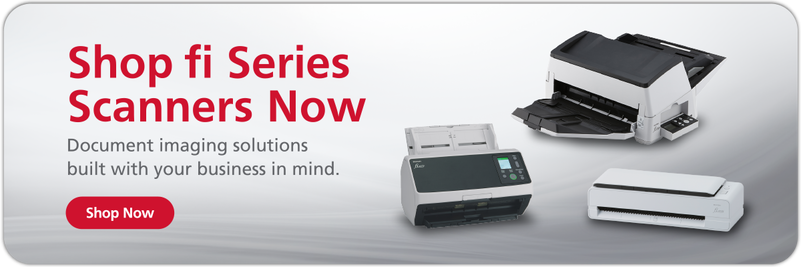
From the flagship fi-8170 to the versatile fi-800R, all fi Series scanners come with a wealth of software to amplify your productivity. PaperStream’s leading OCR capabilities can power automatic data extraction and document routing; its automatic image correction features ensure nothing gets lost in translation. Click here to learn more or shop the rest of our production scanner line.
Note: Information and external links are provided for your convenience and for educational purposes only, and shall not be construed, or relied upon, as legal or financial advice. PFU America, Inc. makes no representations about the contents, features, or specifications on such third-party sites, software, and/or offerings (collectively “Third-Party Offerings”) and shall not be responsible for any loss or damage that may arise from your use of such Third-Party Offerings. Please consult with a licensed professional regarding your specific situation as regulations may be subject to change.