
Data digitization lets you create and share electronic records, saving storage space and protecting valuable information
Data digitization is an effective way to manage your company’s most valuable resource: information. The process of data digitization is simple: You take a physical document, run it through a document scanner, then save the digital file on a computer network. Instead of disorganized boxes of paperwork, you have a highly organized file system, complete with editable, searchable, indexable text. Digitized data means less physical storage space and less time spent hunting down important documents.
In this guide, we’ll cover the basics of data digitalization: what it is, how to do it, and what kind of equipment you’ll need. We’ll also touch on some practical applications for digitized data, including electronic records management and improving the customer experience. Once you know the basics, you can create a digitization plan to make your data safer, easier to access, and more useful overall.
Jump to a section:
- What is data digitization?
- Digitization vs. digitalization
- What can you digitize?
- Types of data digitization
- Why should you digitize your data?
- How to scan different types of documents
- Benefits of data digitization
- What are file digitization services?
- What is records digitization?
- What do you need to digitize records?
- What is the digitization of customer experience?
- Benefits of customer experience digitization
- Our recommendation: RICOH fi Series scanners
What is data digitization?
Data digitization is the process of converting physical assets into a computer-readable format. While you can digitize a document by taking a photo of it with your smartphone, digitization usually means scanning large volumes of paperwork and uploading the files to a local or cloud server. A network document scanner can be an effective tool for this job.
Once stored in a server, employees and partners can access these digital assets via an appropriate application. They can also share these files via email or social media.
Digitization vs. digitalization
When we define digitization, we’re specifically referring to the act of conversion from physical to digital media.
Digitalization, on the other hand, refers to how organizations build digital-forward processes that encompass entire workflows. Converting physical documents into digital assets is part of an overall digitalization strategy, but it’s not the only thing. Digitalization might also involve:
- Sending emails rather than traditional letters
- Onboarding new clients with online forms and resources
- Hosting meetings via video chat for remote and hybrid workers
This larger digital transformation is the most important difference when comparing digitalization vs. digitization. Digitization can be the first step toward creating a truly digitalized work environment.
What can you digitize?
- Paperwork: Physical documents are prime candidates for digitization in business settings. You can scan customer/client information, financial records, contracts, ID cards, press clippings, or whatever else you need for either archival or compliance purposes.
- Photos and blueprints: Data digitization often includes photos and drawings, especially if you work in a creative or engineering field. Storing these images online is a convenient way to share them with entire teams.
- Music and other audio: Audio recordings are also digitizable, although you’ll do so with USB converters rather than scanners. Artistic businesses may need to digitize music, although just about any company could benefit from digitizing audio recordings: press conferences, important meetings, executive interviews, and so forth.
- Video recordings: You can also convert VHS tapes or DVDs to digital formats using specialized equipment and software. Like audio, this is especially important for businesses in creative fields, although most businesses probably have a few important events recorded on tape.
Did You Know?:The RICOH fi-8170 can scan up to 70 pages per minute, with a 100-sheet automatic document feeder (ADF) to keep things moving quickly. Click here to learn more.
Types of data digitization
To digitize data, organizations first need to scan and record all the information in its original format. This includes resources like text, audio, video and images captured from different sources.
- Analog data digitization is what “digitization” usually refers to: scanning paper documents and converting them into digital files. Modern scanners and scanning software can also recognize text, tag documents with metadata, and route files into their appropriate folders.
- Digital data digitization may sound redundant, but the truth is that a great deal of existing digital data needs further work before businesses can work with it. Electronic records may need editable text, audio files may need transcriptions, and any kind of file may need proper metadata for sorting.
Why should you digitize your data?
Data digitization allows organizations to store more data while cutting down on costs and time spent on managing files. In some cases, data digitization even allows organizations to scale their operations by rapidly transmitting data over email or wireless networks. Digitization also makes data accessible from anywhere with an internet connection, whether that’s at home, at a client’s office, or on a job site.
Your clients and customers also have a lot to gain from data digitization. You can share relevant documents with them instantly via email or cloud storage, rather than having to wait days or weeks for the mail. Depending on what your business does, your clients may be able to access important healthcare information, urgent invoices, or vital contracts. You can even make this information available after-hours, which can address minor emergencies before they become major incidents.
How do you digitize documents?
The process of digitization is, in itself, fairly straightforward. Organizations use a scanner to digitize and store documents either on-premises or to a cloud service. To start, gather and organize all of the documents that need to be digitized. Systematically working through pre-organized stacks of documents can speed up the process so your employees have more time to dedicate to other tasks.
After scanning documents, you’ll need to sort, name, classify, and time-stamp them. For more effective organization, you can also use optical character recognition (OCR) technology to capture text and metadata tagging for sorting. Most scanners have software that helps with this portion of the process. Your organization should ensure that stored documents are in an easily understandable hierarchy, and that sensitive pieces of information are secured, either in folders with restriction or encryption. Digitization is a perfect opportunity to ensure that the only people with access to files are those that need it to do their jobs.
How to scan different types of documents
The specific procedure and equipment you need will depend on the type of documents you’re digitizing:
- Standard documents: Documents on letter or legal paper are easy to scan. Sheetfed document scanners for business use specialize in paperwork like this, with rapid scanning speeds and large automatic document feeders (ADFs). Simply load your documents into a tray, and press a few buttons to scan dozens of pages per minute.
- Books: Digitizing books is most efficient with an overhead scanner. Rather than going through the strenuous, repetitive process of adjusting opening and adjusting a flatbed scanner, using an overhead scanner will allow you to keep a book in place, scanning each time you flip a page.
- ID cards: Accuracy is important for any scanned document, but it’s vital for scanning IDs. Some scanners can automatically identify different sizes of documents, while others require you to adjust the tray manually before you start scanning. From there, be sure to use a scanning program with OCR for data extraction, as well as rotation and deskew functions.
Want to master the lingo?:Our Document Scanning Glossary covers everything you need to know about the tools and terms behind going digital.
Benefits of data digitization
In general, data digitization makes business documents easier to find, harder to lose, and more convenient to access remotely. For some specific data digitization benefits:
- Saved storage space: Storing physical media is an effective solution for a while, but over time you’re eventually going to run out of physical space. Once digitized, your only limit is the amount of storage space you have available, and you can easily upgrade with both local hard drives and cloud storage options.
- Easier file sharing: Once an asset is digitized, you can share it with anyone who has a computer (or a mobile device) and an internet connection. You can share files at essentially any time, and from essentially any location.
- Enhanced files: Modern scanning software includes OCR features that can convert physical text documents into fully editable digital copies. This software can also clean up captured content, correcting skewed images and improving clarity overall.
- Faster retrieval: Retrieving paper documents can be expensive and time consuming, sometimes leading to document loss due to misfiling. However, once documents are digitized, converted to text and indexed, they can be located much more quickly, allowing anyone to access documents whenever they need.
- Better preservation: As physical media degrades over time, it’s important to create digital backups that can remain accessible in the future. Users can back up digitized files on multiple hard drives or in the cloud.
What are file digitization services?
File digitization services are companies that scan and convert your physical documents for you, letting you outsource the content capture process. If setting up a scanner in your office isn’t practical, or if you have a truly massive backlog of paperwork, a file digitization service might be the right choice. These businesses typically begin with an assessment of the company’s digitization needs, followed by an intake process (whether via shipping or in-person pickup), sorting, scanning, processing through optical character recognition software, and delivery of the final digital files.
While these services provide a fast way to catch up on digitizing a large backlog of paper documents, they can be costly to rely on over time. Taking sensitive documents outside of the limits of your organization also introduces another potential point of failure for security, so it’s important to weigh the risks and benefits beforehand.
What is records digitization?
Records digitization is the process of scanning archival material for your business and storing it in an electronic format. Generally speaking, records digitization is a subset of data digitization that deals with long-term data storage rather than day-to-day operations. Intake forms and customer profiles are prime candidates for this process.
What do you need to digitize records?
Shifting from analog to digital record keeping is going to be a process, and it needs to be well thought out to avoid any structural, procedural, or organizational errors. Consider these factors before you begin:
- What problems are you trying to solve?
- How long will you keep digital records?
- How much time can you invest in digitizing records?
- Once the records have been digitized, how and where will they be stored?
- What are the legal requirements for your business’ digital documents?
- Who will oversee the digitization of records and archives?
- Who will have access to digitized records?
- What departments in your organization are affected by the change?
These questions help guide your strategy when transitioning to digital record-keeping, with scalability in mind. Some organizations have a few hundred records that need to be digitized, which means an affordable document scanner should work fine. Others have hundreds of thousands, where a high speed document scanner might be a better fit. Consider how much storage space you’ll need and whether you’ll be using a cloud storage service or physical hard drives.
You also need to account for hardware, software, and labor during the transition. A high-quality scanner and a powerful piece of scanning software are vital tools, but the process still requires time, effort, and human oversight. As one of the best practices, make sure that your employees know how to use your new equipment, and that you work with them to determine realistic workloads each week.
Want to master the lingo?: PCMag’s review of the RICOH fi-8170 described it as “fast and accurate, [with] terrific software for scanning and saving your documents in a variety of popular formats.” The article also praised the scanner’s accurate optical character recognition (OCR).
What is the digitization of customer experience?
The digitization of customer experience means scanning and organizing customer data, then making that information easily available in a digital format. This data includes forms, receipts, transcripts, and records of interactions with your business. For example, a medical office may choose to digitize a client’s onboarding form for future use, ensuring that customers will have a streamlined experience the next time they visit the office. That office can then share that information with specialists, pharmacies, and insurance companies, as needed.
The digitization of documents can streamline the customer experience, making it faster and simpler overall. Customers can access relevant documents, such as payment records and shipping information, whenever they need to. Meanwhile, customer-facing employees can identify and retrieve customer documents quickly and efficiently from digital databases.
Benefits of customer experience digitization
Digitizing customer experiences is good for both businesses and the people they serve. Some potential benefits include:
- Improved efficiency: With digital records, customers can look up some information by themselves. If a customer service rep has to help, accessing the information can beis quick and easy. Everyone saves time and employees can focus on more demanding work.
- Better records: Digitization means that records are less likely to get damaged or go missing. Once a transaction takes place, a customer or employee will almost always be able to find a record of it.
- Simpler scaling: As businesses grow, having precise and detailed customer information allows them to make better decisions about where to invest their resources. Having digital records also makes it easier to digitalize time-consuming processes, such as onboarding.
- Happier customers: Digital records mean that customers can either access information on their own or have short, productive conversations with employees on your end. Either way, they’ll get the information they need without having to wait too long, which could improve their satisfaction overall.
- Improved compliance: Some industries, such as healthcare and finance, have strict legal requirements regarding how businesses store and share data. With access restrictions, encryption, and similar cybersecurity tools, digitization helps keep customer data safe and companies compliant.
Our recommendation: RICOH fi Series scanners
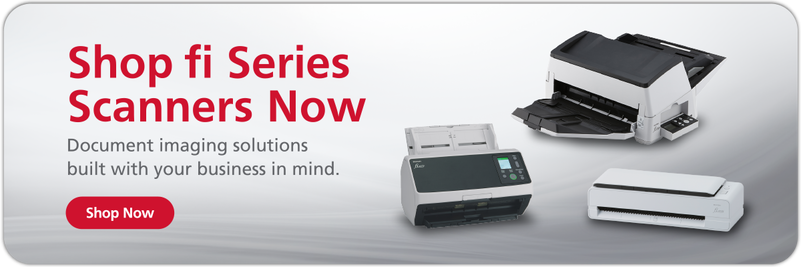
If your company is ready to embrace data digitization, the first thing you’ll need is an effective document scanner. The RICOH fi Series of scanners has a model to suit almost every business, with fast scanning speeds, excellent image quality, and intuitive operations all around.
To start your research, consider the RICOH fi-8170. This device can scan up to 70 double-sided pages per minute, which adds up to thousands of pages every hour. A 100-page ADF and multi-feed detection features keep your papers flowing quickly, even if your documents aren’t all the same size. The included RICOH PaperStream Capture software can also digitize text with accurate OCR technology and route files to specific folders once the scan is complete.
Contact us today to learn how we can help streamline your data digitization projects.
Note: Information and external links are provided for your convenience and for educational purposes only, and shall not be construed, or relied upon, as legal or financial advice. PFU America, Inc. makes no representations about the contents, features, or specifications on such third-party sites, software, and/or offerings (collectively “Third-Party Offerings”) and shall not be responsible for any loss or damage that may arise from your use of such Third-Party Offerings. Please consult with a licensed professional regarding your specific situation as regulations may be subject to change.