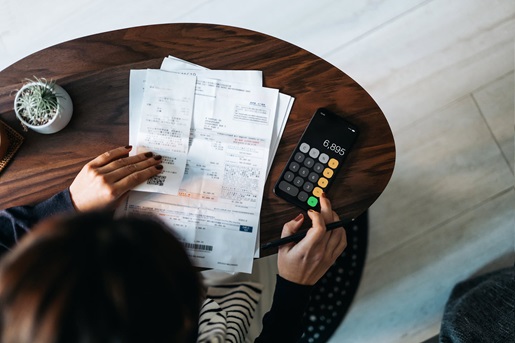
A good receipt scanner should offer fast scanning speeds, superior image quality, and OCR functionality
Every year on April 15, Tax Day rolls around in the United States. And, every year, millions of busy Americans scramble to get their documents together at the last possible second. A good receipt scanner can address this issue. With the right equipment, you can itemize, analyze, and store your receipts digitally, making life much easier when it’s time to file. Depending on the software you use, you can even upload information directly from a scanner into your tax preparation program.
Scanning receipts is vital for self-employed workers, as they may be able to claim a variety of goods and services as business expenses. However, full-time and part-time employees can benefit from digitizing their receipts, too. Medical care, childcare, charitable donations, student loan interest, IRA investments, and bad debts — among other things — are often tax-deductible.
To find a receipt scanner for taxes, you’ll want to look for a model with fast scanning speeds, high-quality image resolution, and varied storage options. Whether you scan receipts all year long or digitize a whole batch in early April, the right model can make your tax preparation a whole lot easier.
Need more help with tax prep? Check out our guide, How to Make the Most of a Tax Scanner. Also, check out our Receipt Scanner page to learn more about our best receipt scanners.
Jump to a section:
- What is a receipt scanner?
- Features to look for in a receipt scanner
- OCR technology and why it matters for tax-related receipts
- Cloud storage vs. local storage: What’s best for receipt management?
- How to organize and categorize receipts after scanning
- Our recommendation: ScanSnap iX2500 Receipt Edition

What is a receipt scanner?
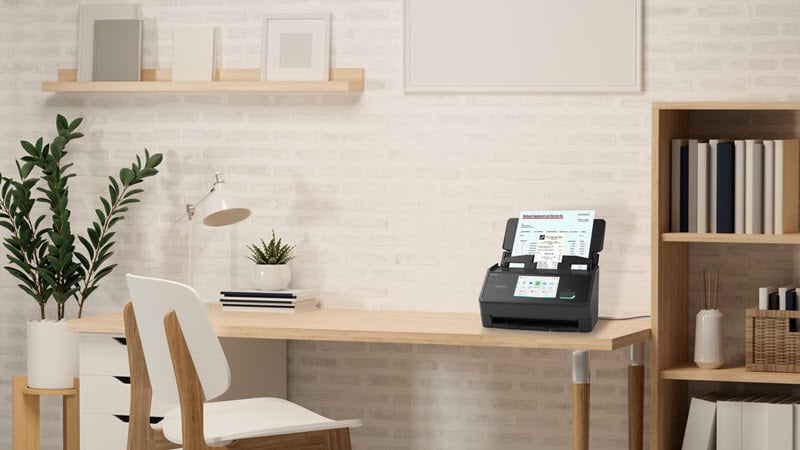
A receipt scanner is a digital document imaging device that has been specifically designed to aid in the processing of physical receipts. Receipt scanners come in many different sizes and types including both flatbed and ADF scanners, both having their own advantages and disadvantages. Flatbed and wand scanners, like the ScanSnap iX100, can handle receipts easily, but they’re limited to scanning one image at a time. ADF scanners can process more pages at once at a much faster rate, but you’ll need to find a scanner that is capable of scanning receipts without jamming, like the ScanSnap iX2500.
Features to look for in a receipt scanner
Fast scanning speed
If you have enough receipts to merit buying a receipt scanner, then you won’t want to scan a handful at a time. Instead, you should look for a high-speed scanner that can handle dozens of pages each minute. A suitable device should be able to handle at least 20 pages per minute, but many models can handle up to 40 pages per minute or more.
High image quality
One problem with receipts is that they’re often hard to read. Retail stores, for example, usually print receipts on inexpensive thermal paper. Even if you get them home unscathed, they may degrade as they sit in a filing cabinet for a few months.
That’s why it’s important to scan receipts as soon as you can — and to use a scanner with high-quality image resolution. Manufacturers measure scanner resolution in dots per inch (DPI) or pixels per inch (PPI), and the higher the number, the better the quality. Text should scan reasonably well at 300 DPI, but you may want to scan at 600 DPI for small or faded receipts.
Reliable paper handling
Receipts aren’t like standard sheets of office paper. They come in all shapes and sizes. Some are sturdy, while others tear with the slightest pressure. On top of that, they tend to attract dirt, dust, and other detritus from being jammed in pockets and bags. As such, a suitable receipt scanner should offer a robust paper feeder that won’t damage sensitive documents. Some devices can alert you to the presence of dust, allowing you to clean the system before you scan. Finally, you may want to look for a model with dedicated receipt scanning tools, such as the Receipt Guide on the ScanSnap iX2500. This attachment prevents receipts from curling or crumpling as you scan them.
Companion software for sorting receipts
Having digitized copies of your receipts is handy, but manually naming, sorting, and filing away those scans can eat up most of the time you’re supposed to be saving. Many scanners come with companion software that can help process large volumes of documents, while integrating with other devices on your home or office network.
Make sure to check the feature set of any included software to see if it suits your needs. You should also confirm the number of licenses allowed by your purchase, in case you need to install the included software across multiple devices, or allow multiple users on your network to access it.
Capable of scanning directly to the cloud
Scan-to-cloud capabilities are vital for modern receipt scanners, as they provide an immediate, secure digital backup of physical receipts. This feature eliminates the risk of losing or damaging paper slips and makes financial data accessible from any device, anywhere. When combined with OCR technology, this process automates data extraction, reducing manual data entry and saving significant time. Ultimately, it transforms a simple scanning task into a streamlined and efficient financial management solution.
Did You Know?:The ScanSnap iX2500 Receipt Edition can scan up to 45 double-sided pages per minute with a 100-page automatic document feeder (ADF). An intuitive touchscreen makes it easy to scan, process, and store your files. Click here to learn more.
OCR technology and why it matters for tax-related receipts
If you’re scanning papers with a lot of words, then you need a scanner with optical character recognition (OCR) features. When you initially scan a document, your device recognizes it as an image file rather than a text document. OCR “translates” the image back into text, allowing you to categorize and search your scanned documents. When it’s time to sort through your receipts and claim specific deductions, you can easily find the information you need just by typing in the name of a vendor or product. Some scanners can even automatically import this data directly into tax preparation software, such as QuickBooks®.
Cloud storage vs. local storage: What’s best for receipt management?
Once you've digitized your receipts, storing them in the cloud presents several advantages over local storage. Chief among them is collaboration: Documents in the cloud are instantly available to teammates, speeding up work and making important information more accessible. Locally stored documents, meanwhile, must be shared one at a time. Although local storage allows for more hands-on security controls, it’s often less secure than the cloud. That’s because public cloud providers must meet stringent security standards before they handle your data. The controls they implement tend to be more robust than those protecting your hard drive. Finally, the cloud is flexible. Where a local drive has a fixed capacity, the cloud allows you to scale your storage up or down as needed, which can help you save money.How to organize and categorize receipts after scanning
The sooner you digitize your receipts, the sooner you can start to organize them. Start by making a folder for the tax year. Within that folder, consider filing receipts according to the type of expense. For instance, you might make subfolders for travel expenses, payroll, or inventory. Use standardized naming rules for folders and receipts to keep the system legible.
As you save each receipt to its proper folder, use metatags to note key information, such as when the transaction took place and which vendors were involved. These tags can make it easier to find specific receipts using search functions. They can also allow you to sort receipts by date, transaction value, and so on. Keeping your receipts orderly makes it easier to file your taxes, manage your cash flow, reimburse employees, and more.
Our recommendation: ScanSnap iX2500 Receipt Edition
We know you have no shortage of options when it comes to choosing a home document scanner. We pride ourselves on having spent the last 50+ years designing and developing some of the most beloved electronics in the world, including our line of award-winning, easy-to-use, one-touch ScanSnap scanners.
If you’re in the market for a receipt scanner, the ScanSnap iX2500 Receipt Edition has the features you need. This top-of-the-line scanner can scan up to 45 double-sided pages per minute with an ADF capacity of 100 sheets. With its powerful OCR capabilities, it can convert scanned files into searchable PDF or Microsoft Office documents, then upload them to a dedicated folder or a cloud storage server. The ScanSnap iX2500 Receipt Edition also includes a receipt guide, which helps you feed receipts into the scanner, and a long receipt scanning function for receipts from your biggest shopping trips. Click here to learn more about the ScanSnap iX2500 Receipt Edition and click here to see our full selection of receipt scanners.
Note: Information and external links are provided for your convenience and for educational purposes only, and should not be construed, or relied upon, as legal or financial advice. PFU America, Inc. makes no representations about the contents, features, or specifications on such third-party sites, software, and/or offerings (collectively “Third-Party Offerings”) and shall not be responsible for any loss or damage that may arise from your use of such Third-Party Offerings. Please consult with a licensed professional regarding your specific situation as regulations may be subject to change.